You've probably used Google Street View. You click on a road, look around in all directions, and click again to move down the street. You get a real sense of being there without actually being there.
Now take that same idea and bring it indoors. Hotels, apartments, museums, restaurants, offices. That's a virtual tour. And the building block behind it is the 360 panorama.
Let's break down both.
What is a 360 panorama?
A 360 panorama is a single image that captures everything visible from one point. Not just what's in front of the camera. Everything. Up, down, left, right, behind.
It's created by taking multiple photos from one position and stitching them together into a sphere. The result is an interactive image where the viewer can look in any direction by clicking, dragging, or tilting their phone.
Think of standing in the middle of a room and slowly spinning around while looking up and down. A 360 panorama captures that entire field of view in one image.
On a screen, it looks like you're standing inside the photo. You can look at the ceiling. You can look at the floor. You can spin around and see every wall. It's immersive in a way that a regular photo simply can't be.
What is a virtual tour?
A virtual tour takes multiple 360 panoramas and connects them. You're not just standing in one spot looking around. You can move between spots.
Click on a hotspot in the lobby and you're in the lobby. Click on the stairs and you're on the second floor. Click on the balcony and you're looking at the view outside. Each point is a separate 360 panorama, but they're linked together into a navigable experience.
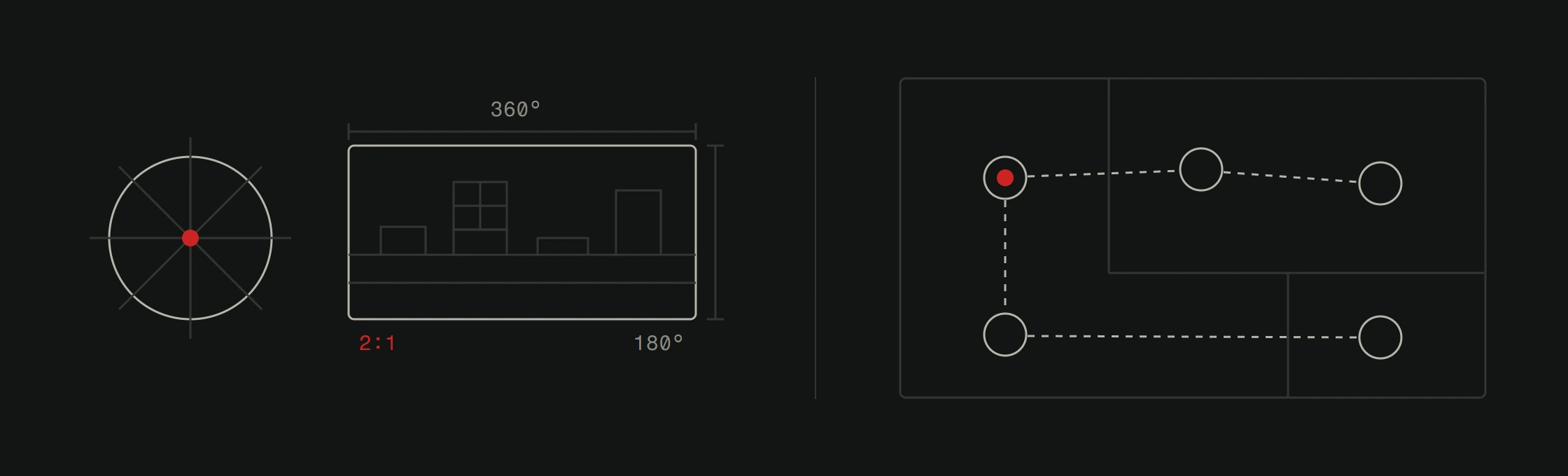
This is what makes virtual tours so useful for real estate, hospitality, and tourism. A single panorama shows one room. A virtual tour shows the whole property.
The viewer controls the experience. They choose where to go, what to look at, and how long to spend in each area. It's the closest thing to physically being somewhere without traveling there.
How they're created
The shoot
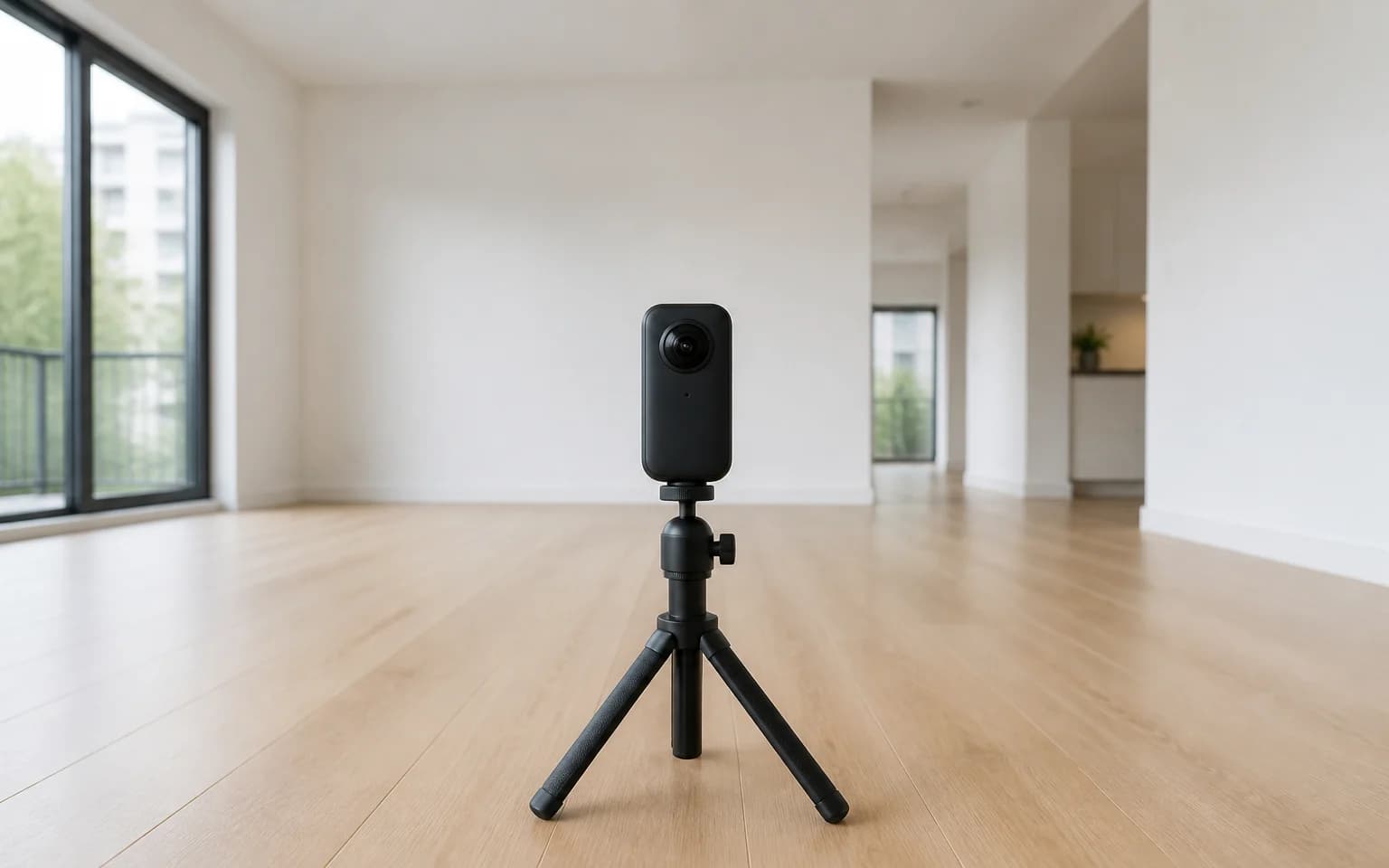
Professional 360 cameras capture images from carefully chosen positions within the space. The camera takes multiple shots at each position, covering every angle. The number of positions depends on the space. A small apartment might need 8-10 capture points. A large hotel could need 50+.
Lighting matters. A lot. Professional shoots account for natural light, artificial light, reflections, and shadows. The goal is images that accurately represent the space without distortion.
The stitching
Raw images from each position get stitched together using specialized software. This is where the magic happens. The software aligns the overlapping edges of each photo and blends them into a single continuous sphere.
Done well, the stitching is invisible. The viewer sees a smooth, continuous image with no seams. Done poorly, you get visible lines, ghosting, and color mismatches. This step is why professional virtual tours look dramatically better than DIY attempts.
The assembly
Individual panoramas get linked together into a navigable tour. Navigation hotspots are placed at logical transition points. Walk from the entrance to the living room. From the living room to the kitchen. From the kitchen to the garden.
Additional elements get added at this stage: floor plans, information labels, embedded media, branding, and interactive UI elements. The final product is a self-contained web experience that loads in any browser.
How it looks to the viewer
The finished tour runs in a web browser. No app to download. No plugin to install. It works on desktops, tablets, and smartphones.
On desktop, you navigate by clicking and dragging to look around, and clicking hotspots to move between positions. On mobile, you can also use gyroscope controls. Just point your phone in a direction and the view follows. It's surprisingly natural.
For VR enthusiasts, many tours also support VR headset viewing. This takes immersion to another level, making you feel like you're physically walking through the space.
Who uses virtual tours?
Real estate
The biggest use case. Virtual tours for real estate allow buyers to view properties from anywhere. International clients can tour apartments in Split or houses in Zadar without booking a flight. Agents save time by pre-qualifying serious buyers before physical viewings.
Hotels and tourism
A guest comparing two hotels will spend more time with the one that offers a virtual tour. They can see the actual room they'll book, not a stock photo that looks nothing like reality. For Croatia's tourism sector, this is a competitive edge.
Restaurants
The dining experience starts before you taste the food. Atmosphere, decor, seating layout. A virtual tour lets potential guests feel the space before making a reservation. Especially useful for event spaces and private dining areas.
Museums and galleries
Virtual access for people who can't visit in person. Schools running virtual field trips. Tourists previewing what they'll see. Cultural institutions worldwide are adopting virtual tours to expand their reach.
Education
Universities offer virtual campus tours to prospective students. This is especially valuable for international recruitment where visiting in person isn't practical.
Event venues
Wedding planners, conference organizers, and corporate event managers all need to evaluate venues quickly. A virtual tour on your website lets them shortlist your space without scheduling a site visit.
360 panorama vs. virtual tour: When to use which
Use a single 360 panorama when:
- You want to showcase one specific view (a rooftop terrace, a hotel room, a scenic overlook)
- You're embedding it in a Google Business listing
- The space is small enough that one viewpoint covers it
Use a full virtual tour when:
- The space has multiple rooms or areas
- Viewers need to understand how the space flows and connects
- You want maximum engagement and time-on-page
- The space is your primary selling point (real estate, hotel, venue)
Why professional quality matters
Anyone can buy a 360 camera and snap some photos. The results will look like it.
Professional virtual tours differ in image quality, stitching accuracy, lighting, color accuracy, navigation design, and loading performance. A poorly made tour can actually hurt your brand. Blurry images, visible seams, and slow loading tell potential customers that you don't pay attention to quality.
Version2 handles the entire process. We visit your location, shoot with professional equipment, process and stitch with care, and deliver a polished, embeddable tour. The result looks professional because it is professional.
Learn more about our approach in our post on Version2's virtual tour service.
Interested in getting a 360 virtual tour for your space? Visit our virtual tour service page or contact us for a free 10-minute call. We'll visit, shoot, and deliver the finished tour.