01
Answers from your own documents
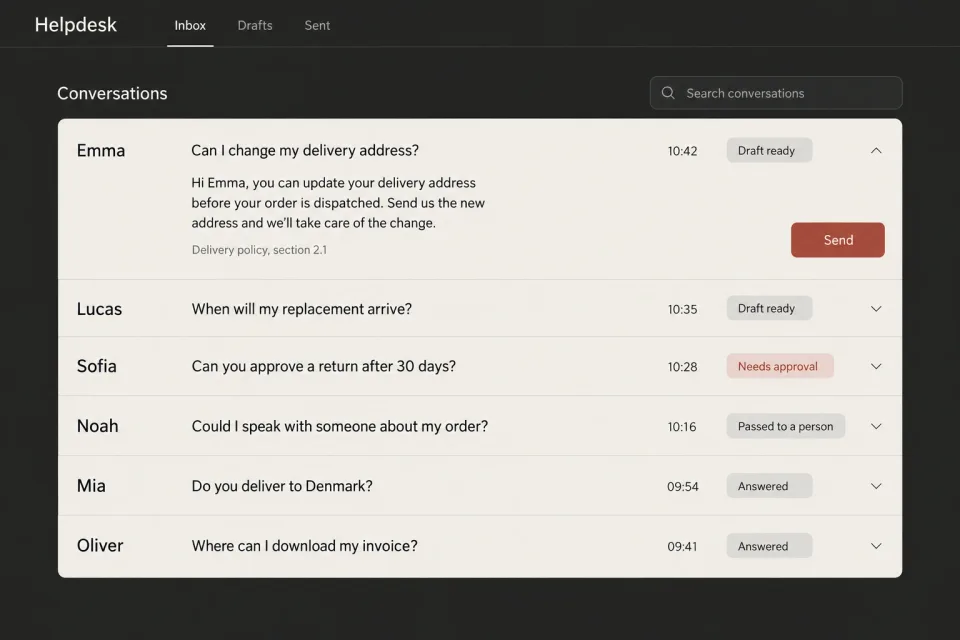
Questions from customers or from your own team, answered out of approved documents, as a draft a person reads and sends.
AI Integration
We connect an assistant or an automation to your documents, enquiries and business software. Together we agree what it may read and do, who reviews its work and how it passes a question to a person, and then we test it on your own cases.
It’s a reply desk we built, working from our own documents. It reads only what its role may open, drafts the reply to a client’s question and shows where the answer came from, so the person who sends it can check it first.
Draft, ready for review
Your Basic plan covers security updates, uptime monitoring and a monthly health check, with two hours of support a month. The monitoring is what tells us the site is down, and putting it back up comes out of those hours.
Basic care includes security updates, uptime monitoring and a monthly health check, with two hours of support a month. Standard care adds content updates, bug fixes and performance monitoring, with five hours a month.
Read 3 of 3 permitted documents, matched section 2.1 of Care plans, what each one covers.
What we connect
Each one reads something you already have and prepares one thing, and it only acts on its own where you’ve decided it may.
01
Questions from customers or from your own team, answered out of approved documents, as a draft a person reads and sends.
02
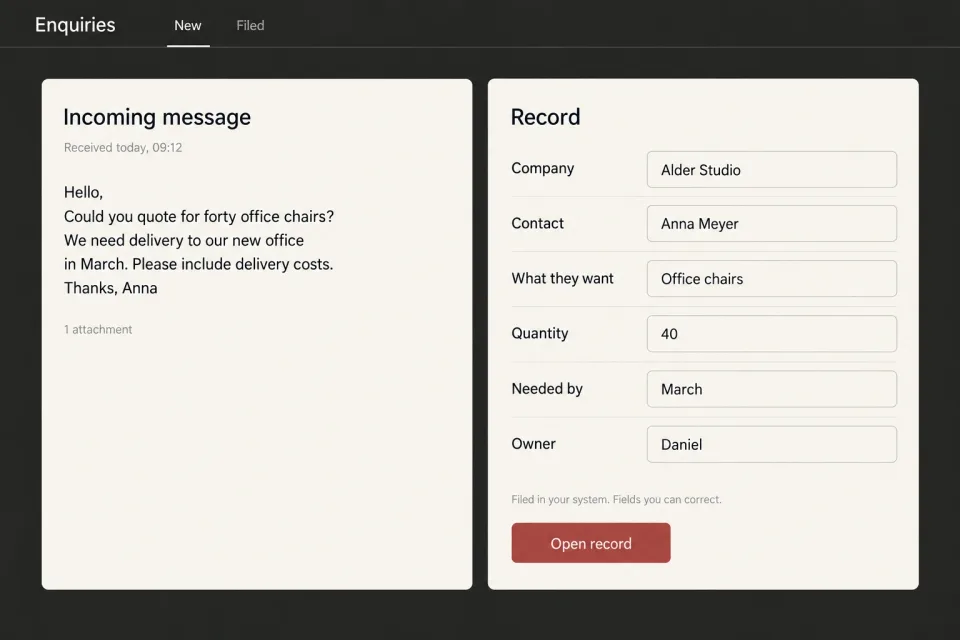
What arrives by email or through a form is read, sorted and written into your system with the fields filled, so nobody retypes it.
03
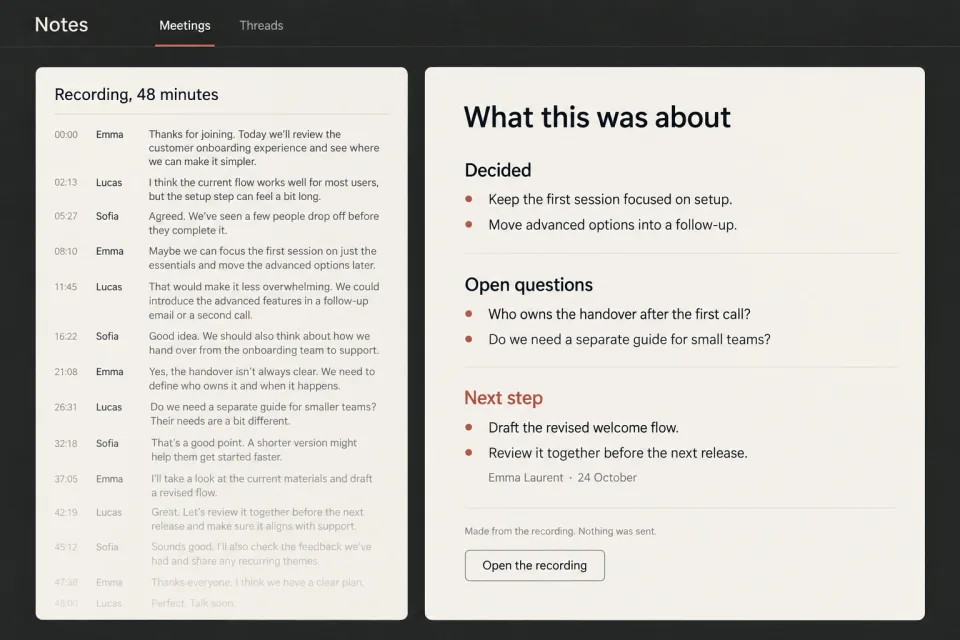
A call, a thread or a document reduced to what was decided, what is still open and what happens next, with the original one click away.
04
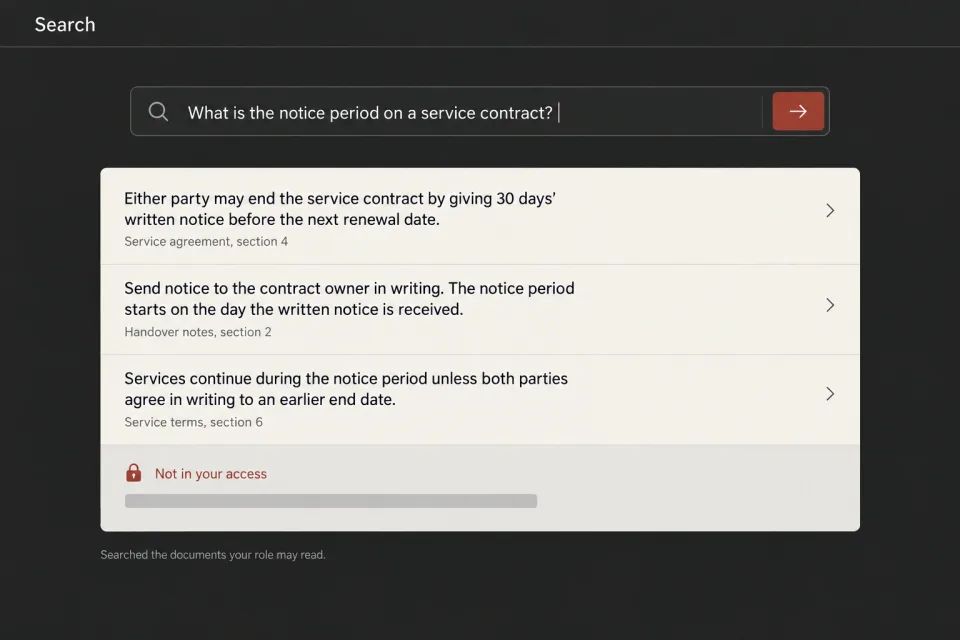
One search across your files where each person sees only what their role may read, and the passage that answers is shown with the document it came from.
When a job should run end to end, with a person handling only the exceptions, that’s what an agent does. See AI agents
Limits
The system needs an agreed answer for each of these, and we settle them with you before the build starts.
Who owns the website once the project is finished?
Project terms and handover
Passed to a person
The documents this role may read don’t answer this question.
What do you pay for the server our site runs on?
What we pay for hosting and licences
Passed to a person
The documents this role may read don’t answer this question.
Are care plan prices changing in January?
Care plans, what each one covers
Held for the document owner
The matching section is being updated by its owner, so no reply quotes it.
If the rule only lives in one person’s head, there’s nothing to connect to yet. Writing it down is the first job, and now and then it turns out a form or a rule in the software you already have does what you were after.
Responsibility
Your document owner
Keeps the approved information current and marks a section for review when it changes.
Care plans, what each one covers
2.1Basic care includes security updates, uptime monitoring and a monthly health check, with two hours of support a month. Standard care adds content updates, bug fixes and performance monitoring, with five hours a month.
Version2
Tests the agreed cases before the connection is used, and again after every change.
Agreed cases
The assistant
Prepares the reply from permitted documents, or passes the question on.
Draft, ready for review
Your Basic plan covers security updates, uptime monitoring and a monthly health check, with two hours of support a month. The monitoring is what tells us the site is down, and putting it back up comes out of those hours.
SourceCare plans, what each one covers, section 2.1
Your reviewer
Reads what needs approval before it reaches a customer.
Support reads the draft and sends it.
Questions
No. One source to begin with, read-only wherever that’s possible, and only what the job needs. Access grows when the job grows, and you agree to it each time.
It’s the usual starting point, and tidying them is worth doing whether or not you connect anything. We look at what exists in the first week and say plainly what has to be sorted before a connection is worth building.
Only when you’ve decided it should. The default is a draft that a person reads and sends, and case by case you tell us which replies can go out on their own and which wait for approval.
Usually. Anything with a documented way in, and quite a lot without one. When a system has no way in at all, you’ll hear it from us in the first week.
The model runs as a service, so a question and the passages it needs are sent to it. We agree with you which provider that is and what it may keep before anything is connected. If the information can’t leave your systems at all, it needs a private build that runs where you decide. Private AI
Model usage, billed at what it costs, and care if you want it. We work the usage out from your own volumes and put the figure in the written recommendation, before you commit to anything.
Scope and price
We examine one workflow and the data it depends on, then write down the proposed connection, its limits and the next step. That week costs €490 and comes off the build if you go ahead.
The same written recommendation can conclude that the connection isn’t ready to build.
Workflow IntegrationRecommended first step
One data source and one assistant or automation, with permissions set by role. We test it on your real cases before handover.
from €1,900per project, 2 to 3 weeks
Multi-System Integration
Up to three connected systems, roles and an audit trail, monitoring, and a monthly review for the first three months.
from €4,900per project, 4 to 6 weeks
The build is a one-off. Model usage is billed at cost, and care after handover is €190 a month when you want it.