
A fast website helps people reach the information or action they came for. The effect on enquiries and sales depends on the audience, offer and task. There is no reliable universal formula that turns one second saved into a fixed revenue increase.
The user does not wait
Waiting can interrupt a task, especially on a slower phone or connection. Look at the complete visit: can someone read the offer promptly, open the menu, enter details and receive a clear confirmation? A quick first screen can still hide a slow or broken form. Testing those actions is more useful than assuming every visitor has the same patience.
Google cares about speed. A lot.
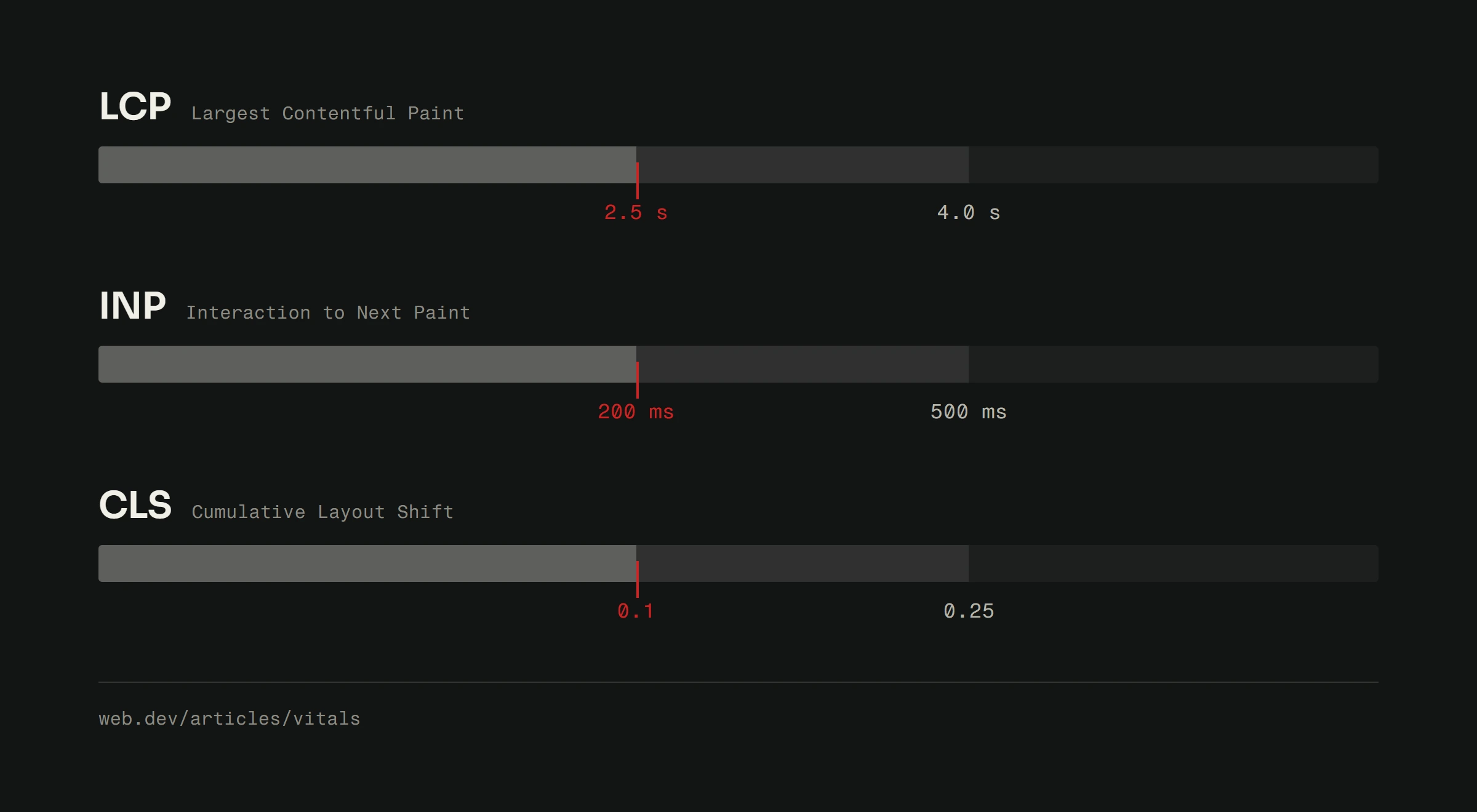
Core Web Vitals cover main-content loading, response to interaction and visual stability. Google explains that these signals contribute to search ranking, but good scores do not guarantee a leading position. Useful, relevant content still matters. Treat speed and content quality as work that supports the same visitor, rather than predicting a ranking from a test score.
Speed and conversion are directly connected
Measure the actions that matter to your business: accepted enquiries, completed bookings or paid orders. Compare similar periods and traffic sources before and after a change. Record other changes to pricing, campaigns and forms that could explain the result. Small samples are uncertain; a button click is not automatically a sale. Our conversion guide explains where to look next.
Bounce rate: The silent killer
An exit can mean frustration, but it can also mean someone found an address or answer. Interpret engagement together with the page's purpose and completed actions. Do not treat an analytics bounce-rate figure as a direct explanation of Google's ranking decisions. Check the affected journey before deciding that the whole site needs rebuilding.
What actually makes a website slow
Large images, early downloads of optional features, long JavaScript tasks, font loading and server delays can all contribute. A network waterfall and performance trace show which ones affect a particular page. Caching helps when responses are eligible to be reused, but account-specific or changing information may need fresh responses. The optimization guide turns those observations into a testing sequence.
How to measure your site's speed
PageSpeed Insights separates available real-user data from its Lighthouse lab test. A site with insufficient field data has an unknown field result, not an automatic pass. Google's Web Vitals guide evaluates the 75th percentile separately for mobile and desktop. Keep the URL, date, device/network conditions and several repeated runs so comparisons are meaningful.
Speed is a competitive advantage
The goal is a site people can use comfortably, including its forms and interactive parts. Keep the strongest evidence from a before/after check and continue monitoring after release. If you need a diagnosis of your own site, request a free website analysis. A larger rebuild belongs in a web-development scope only when the findings justify it.