WordPress powers 43% of the web. That's not an accident. For many use cases, it's a solid platform that gets the job done.
But "most popular" doesn't mean "best for everyone." After years of building WordPress sites and custom web applications, we've learned when WordPress shines and when it holds you back.
Where WordPress works well
Getting started quickly
If you need a simple website up and running fast, WordPress delivers. Install it. Pick a theme. Add your content. You can have a basic site live in a day.
For small businesses, personal blogs, and simple brochure sites, that speed is a real advantage.
Content management
WordPress started as a blogging platform, and managing content is still where it's strongest. The editor is intuitive. Adding pages, posts, and media doesn't require technical knowledge. For content-heavy sites with non-technical editors, this matters.
Plugin ecosystem
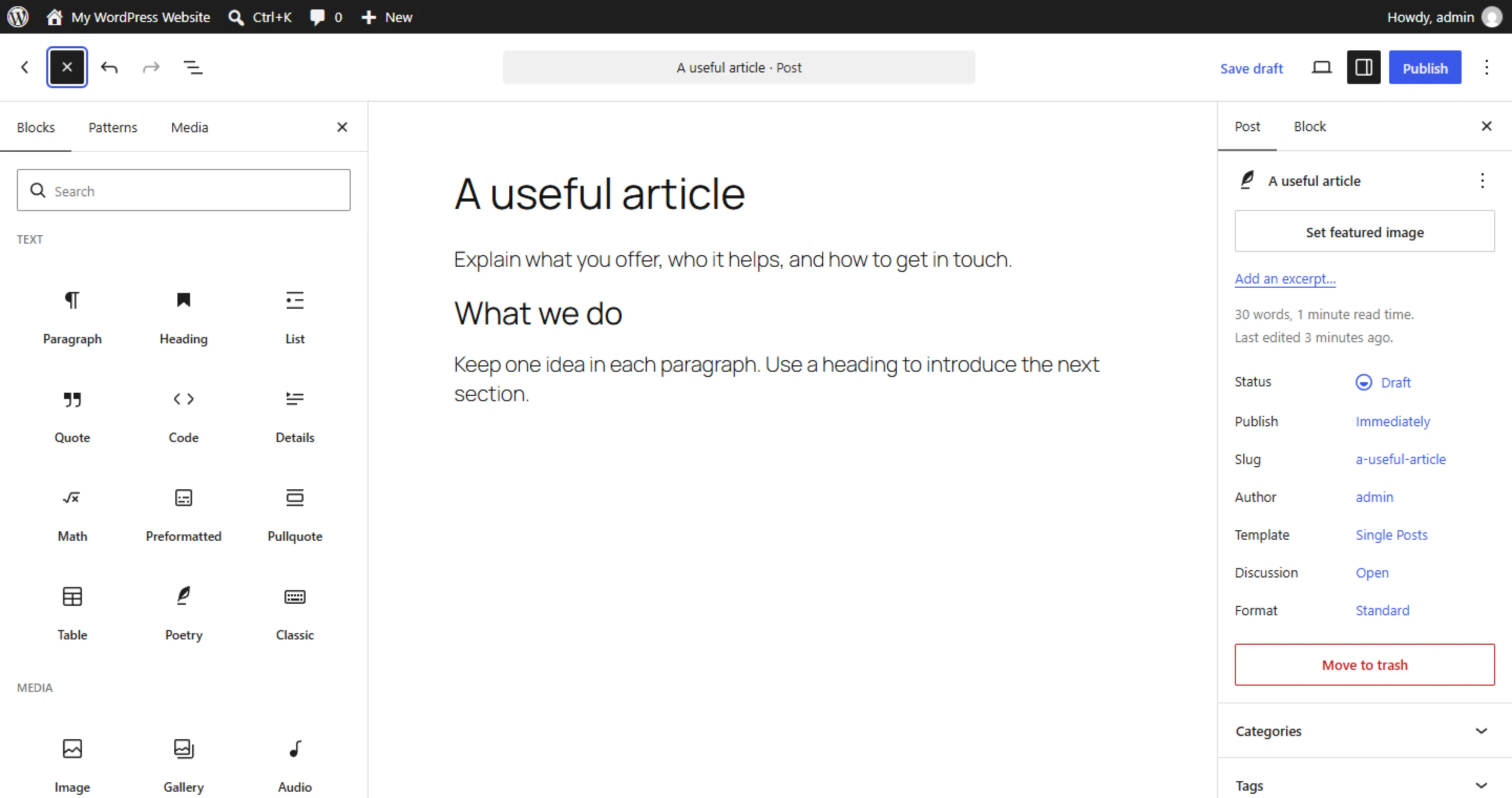
Need a contact form? There's a plugin. SEO tools? Yoast or Rank Math. E-commerce? WooCommerce. Multilingual? WPML or Polylang.
The ecosystem means you can add features without writing code. For many businesses, that flexibility is enough. The WordPress plugin directory has over 60,000 free plugins. Paid plugins add thousands more.
The catch: every plugin is a dependency you have to maintain. We've seen sites with 30+ plugins where half of them overlapped in functionality or hadn't been updated in two years. Pick plugins carefully. Fewer is always better.
Community and resources
When you have a WordPress problem, someone has had it before. Stack Overflow, WordPress forums, YouTube tutorials. The community is massive and finding help is rarely an issue.
Where WordPress starts to struggle
Performance
Out of the box, WordPress is reasonably fast. But most WordPress sites aren't running out of the box.
Add a page builder like Elementor. Add 15 plugins. Add a heavy theme with features you'll never use. Now your page loads 3MB of JavaScript and takes 4 seconds to render.
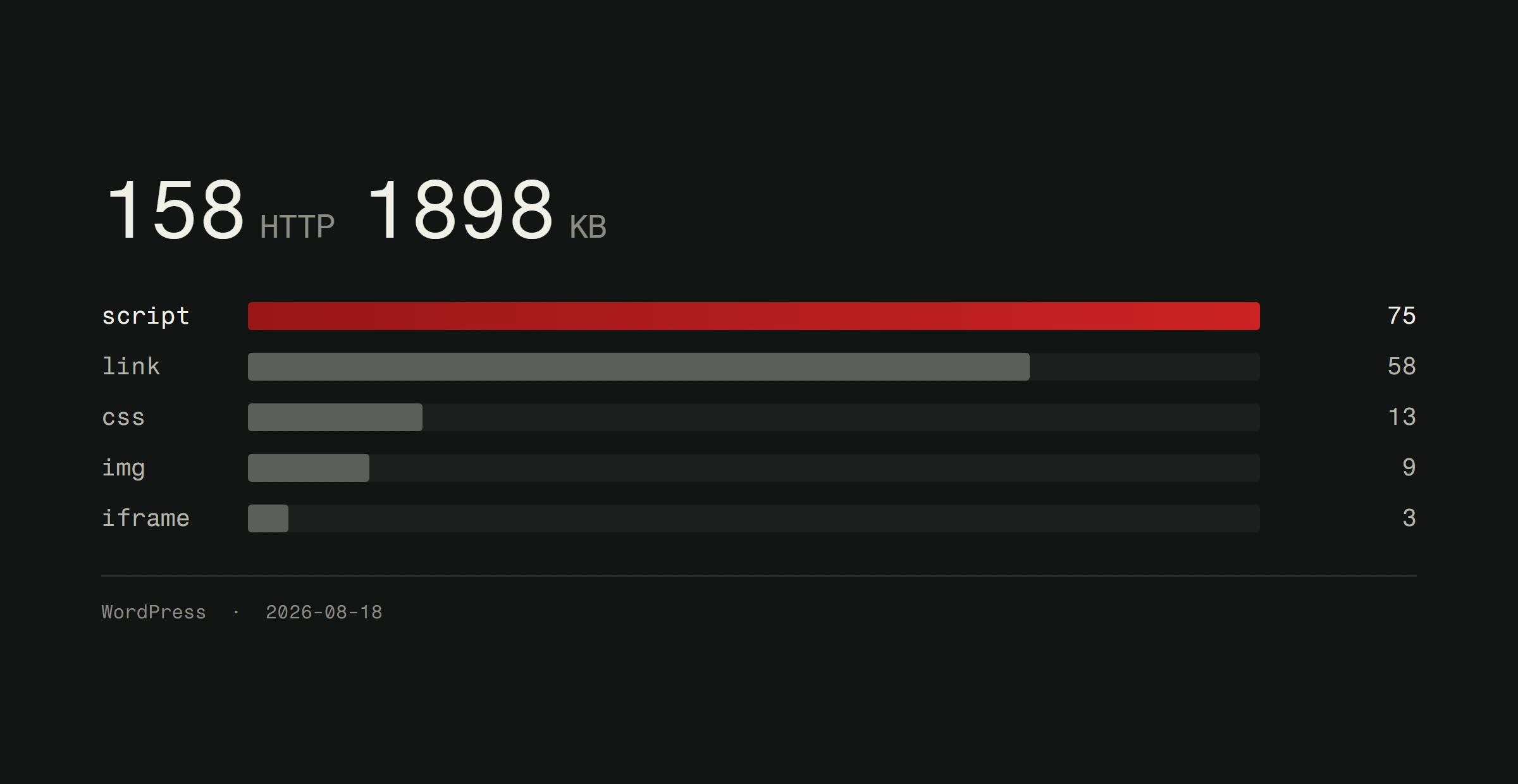
On a heavy WordPress site the pattern is consistent: bloated code, unnecessary database queries, and front-end weight that no amount of caching fully fixes. Optimizing a WordPress site helps, but you're working against the architecture.
Security
WordPress is the most targeted CMS on the internet. Not because it's insecure by default, but because it's everywhere. Attackers know the file structure, the common plugins, and the typical vulnerabilities.
Keeping WordPress secure means constant updates. Core, theme, every plugin. Miss one and you're exposed. We wrote about WordPress security practices if you want the details.
Custom-built sites have a smaller attack surface. No known file structure. No plugin vulnerabilities. No public-facing admin panel at /wp-admin.
Scalability
WordPress can handle traffic. But when you need custom functionality, specific integrations, complex user flows, or real application logic, you start fighting the platform instead of building with it.
Custom post types, advanced custom fields, plugin dependencies. It works. But it's not elegant. And every workaround adds complexity.
The page builder problem
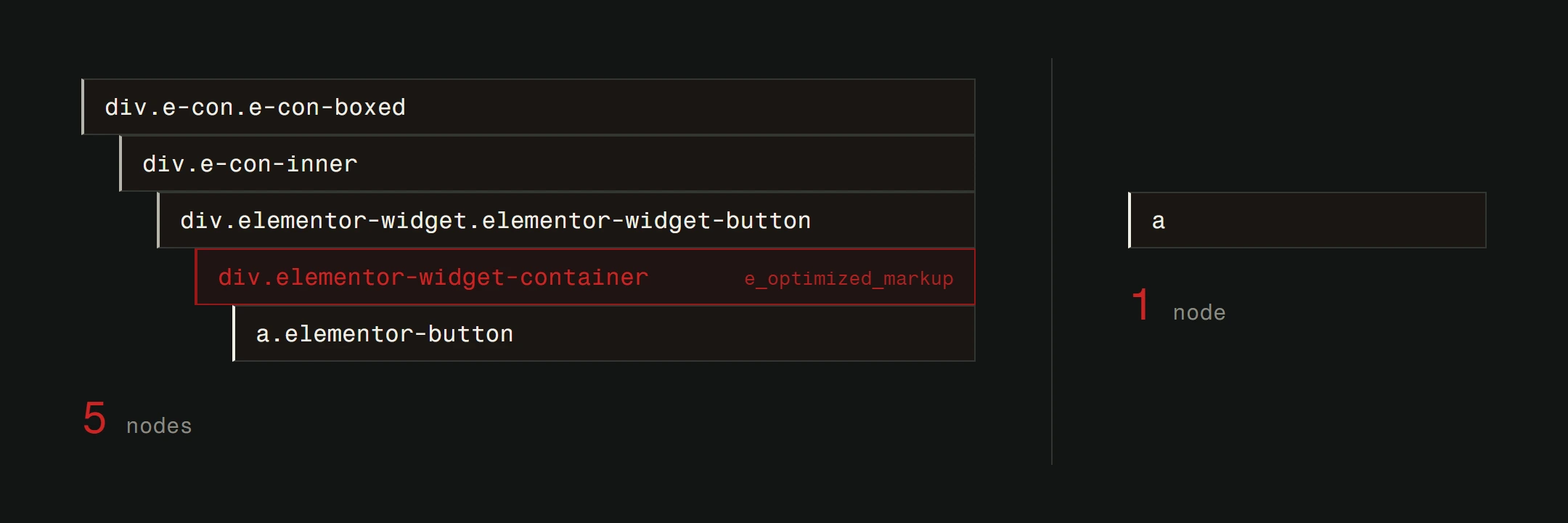
Page builders give non-developers design control. That's the pitch. The reality is layers of generated HTML, inline CSS, and JavaScript that a hand-coded site doesn't need.
A section that takes 20 lines of clean HTML might generate 200 lines through a page builder. That's not just slow. It's technical debt that grows over time. Tools like Skelementor try to mitigate this with pre-built, optimized components, but the underlying architecture tradeoff remains.
When to stay on WordPress
WordPress is the right choice when:
- Your budget is under EUR 3,000 and you need to launch within weeks
- Your site is primarily content (blog, news, documentation)
- Non-technical staff need to edit content regularly without developer involvement
- You don't need custom functionality beyond what plugins offer
- You run an e-commerce store with under 500 products where WooCommerce handles your needs
A restaurant that needs a menu, hours, and a contact form? WordPress works fine. A law firm that publishes articles and needs a professional web presence? Good fit. A local shop that sells 50 products online? WooCommerce handles it.
WordPress is a solid starting point. If it's working for you, here's how to get the most out of it.
When to consider custom development
When you're ready for more, custom-built is the way forward:
- Performance matters. Sub-second load times. High Core Web Vitals scores. Modern image formats like WebP and AVIF. Custom code ships only what you need.
- You need application logic. User portals, booking systems, payment workflows, dashboards. These are applications, not websites.
- Security is critical. Smaller attack surface. No plugin chain to maintain.
- You want full control. No theme limitations. No plugin conflicts. Every pixel built to spec.
- Long-term cost matters. WordPress maintenance, plugin licenses, and ongoing security patches add up. Custom has higher upfront cost but lower overhead over time.
For a deeper comparison, read our guide on choosing the right CMS for your business.
The honest answer
There is no "best CMS for every business." There's the right tool for your specific needs, budget, and timeline.
WordPress is strong for the right use case. But when you outgrow it, when speed, security, and custom functionality become priorities, that's when custom development pays for itself.
We build custom websites and maintain existing WordPress sites. Whether you need to optimize what you have or start fresh, get a free website analysis of your current site.