People use "web design" and "UI/UX" interchangeably all the time. Clients ask for "good UX" when they mean they want a pretty website. Designers list "UI/UX" in their bio when they really just make things look nice in Figma.
The confusion isn't harmless. When you don't understand the difference between these disciplines, you end up with websites that look great but don't work. Or work well but look like they were built in 2008.
Let's straighten this out.
Web design: How it looks and gets built
Web design is about the visual layer of a website and the technical execution behind it. Colors, typography, layout, imagery, animations. The stuff you see when a page loads.
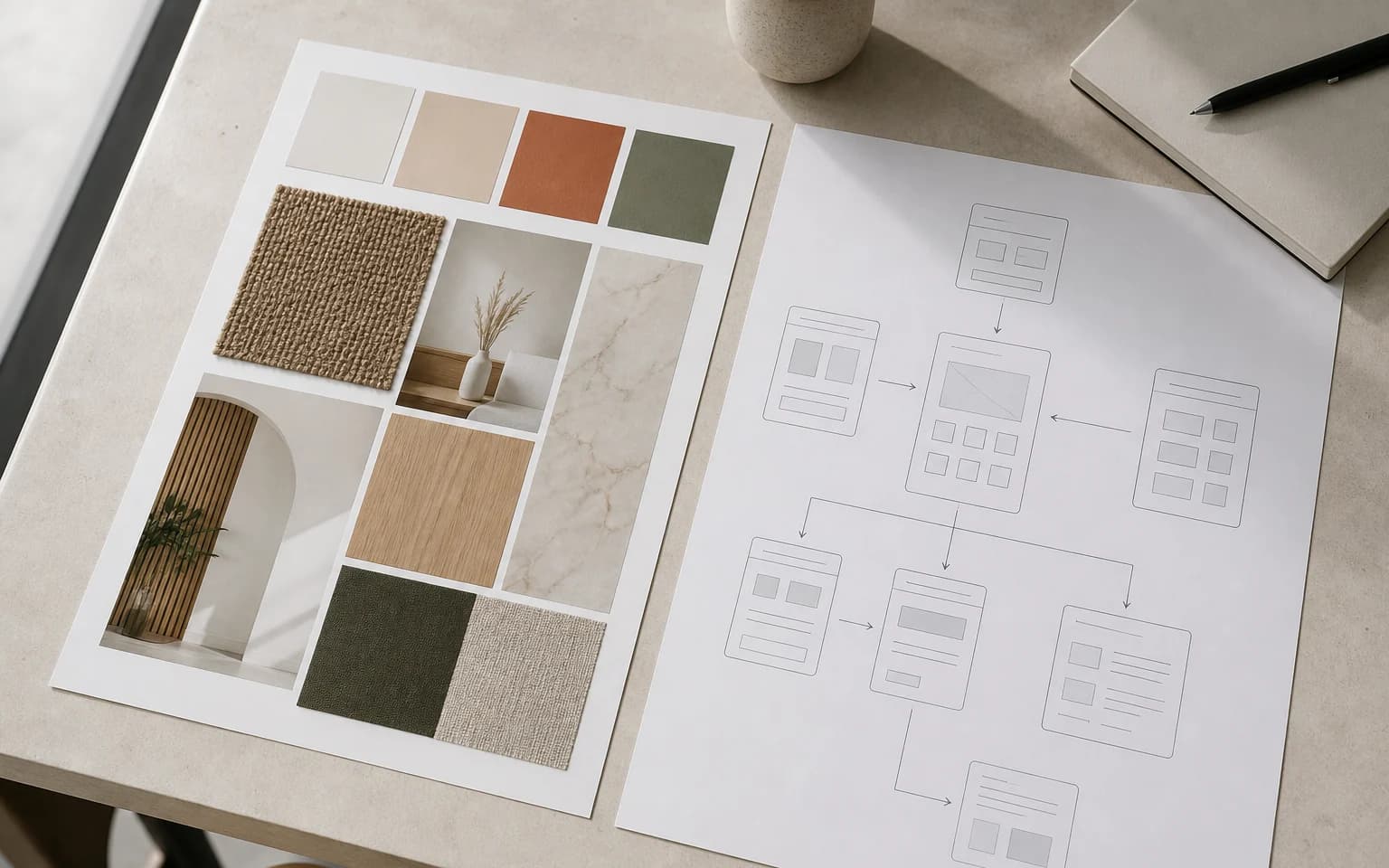
A web designer decides how a site looks. They choose the color palette. They design the page layout. They pick fonts and create visual hierarchy. They also think about how to translate that design into code that actually works in a browser.
Web design answers the question: "Is this website visually appealing and technically functional?"
Good web design means the site is attractive, on-brand, and properly built. It loads fast. It works across browsers. The code is clean. Images are optimized. Fonts render correctly. Performance is solid.
But here's the limit. A website can be visually stunning and technically sound while still being a nightmare to use. That's where UI and UX come in.
UI design: How people interact with it
UI stands for User Interface. It's the layer between the user and the website's functionality. Buttons, forms, menus, toggles, search bars, modal windows. Every element a person interacts with.
UI design answers the question: "Are the interactive elements clear, consistent, and easy to use?"
Good UI means buttons look clickable. Forms are logical. Error messages are helpful, not cryptic. The navigation feels natural. Interactive states (hover, active, disabled) are visually distinct.
UI design overlaps with web design in the visual department, but it focuses specifically on interaction. A web designer might create a beautiful button. A UI designer makes sure that button communicates what it does, provides feedback when clicked, and behaves predictably across the entire site.
Think of UI as the controls on a car's dashboard. They need to be well-designed visually, sure. But more importantly, they need to be intuitive. You should know what every control does without reading a manual.
UX design: How it feels to use
UX stands for User Experience. It's the broadest of the three disciplines and the most misunderstood.
UX design answers the question: "Does this website help people accomplish what they came to do, easily and without frustration?"
UX is not about how things look. It's about how things work. A UX designer researches users, maps out journeys, identifies pain points, and designs ways to remove them. They figure out what pages a site needs, what order content should appear in, and how to reduce friction at every step.
A great UX might mean fewer pages, not more. It might mean removing features rather than adding them. It might mean the checkout process has three steps instead of seven. It might mean the most important information is above the fold instead of buried on page three.
Good UX is invisible. When a website feels effortless to use, that's UX working. When you land on a site and immediately find what you need, that's not luck. Someone designed that experience.
How they work together
Here's an analogy. Think of a restaurant.
UX is the overall experience. How easy it is to find the restaurant, park, get a table, understand the menu, order, and pay. It's the flow from start to finish.
UI is the menu design, the table layout, the way the waiter takes your order. It's every touchpoint where you interact with the restaurant's system.
Web design is the interior decoration, the lighting, the plating of the food. It's how everything looks and the craftsmanship behind it.
A restaurant with beautiful decor but terrible service fails. A restaurant with great service but a confusing menu frustrates people. You need all three working together.
The same applies to websites.
Why "which is better" is the wrong question
You don't choose between web design and UI/UX. You need both. The question is where to invest your attention based on your specific situation.
Invest more in UX when:
- Your site has high traffic but low conversions
- People visit but don't complete desired actions (purchases, signups, contact forms)
- Your bounce rate is high despite good content
- Users complain the site is confusing or hard to navigate
Invest more in UI when:
- Interactive elements feel inconsistent or broken
- Users make errors frequently (wrong button clicks, form confusion)
- Your site works but feels clunky compared to competitors
- Mobile interactions are frustrating
Invest more in web design when:
- Your site looks outdated compared to competitors
- Your brand perception doesn't match your website quality
- Page speed is poor due to technical issues
- The site doesn't work properly across devices
In practice, most websites need work in all three areas. A site redesign that only addresses visuals without rethinking UX is a missed opportunity. A UX overhaul that ignores visual design feels half-finished.
The real-world impact
The business case is straightforward.
Better UX means more conversions. When it's easier to complete an action, more people complete it. Fewer abandoned carts. More form submissions. Lower bounce rates.
Better UI means fewer errors and less confusion. Users spend less time figuring out your site and more time engaging with your content or products.
Better web design means stronger first impressions and better SEO performance. Google cares about page speed, mobile responsiveness, and Core Web Vitals. All of those are web design concerns.
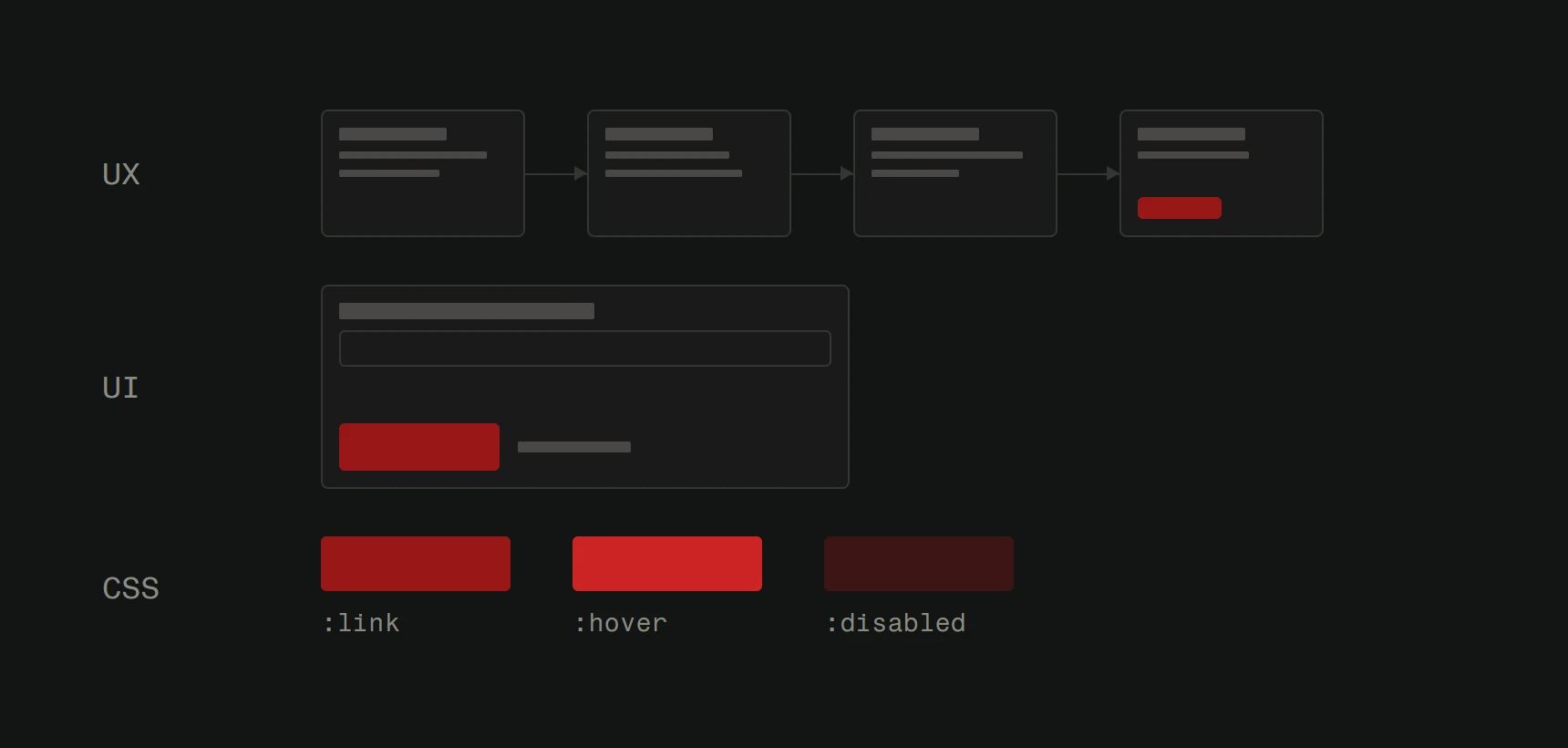
Together, these three disciplines turn a website from a digital brochure into a tool that actually generates business.
What to look for in a web partner
When you're hiring someone to build or redesign your website, pay attention to how they talk about these things.
If they only show you mockups and color palettes, they're focused on visual design. That's one piece of the puzzle.
If they start by asking about your users, your business goals, your current analytics, and what problems you're trying to solve, they're thinking about UX. That's where the real value is.
The best teams do all of it. They research before designing. They prototype before building. They test before launching. And they keep improving after the site goes live.
At Version2, we don't separate web design from UI/UX. Every project starts with understanding users and goals, then we design and build accordingly. Want to see the difference that approach makes? Get a free website analysis.