Picking a CMS feels like choosing a phone plan. Too many options, confusing pricing, and every vendor claims they're the best. Let's cut through that.
Your CMS choice shapes everything about your web presence. How fast your pages load. How easily your team updates content. How well your site scales as your business grows. Get it right and your site runs like a machine. Get it wrong and you'll be fighting your own website for years.
Here's what each option actually looks like in 2026.
WordPress: The reliable workhorse
WordPress runs about 43% of all websites. That number exists because WordPress is genuinely good at a lot of things.
The ecosystem is massive. Thousands of plugins for every feature you can imagine. A huge community of developers who can help when things break. WooCommerce handles e-commerce for roughly 33% of all online stores globally. For content-heavy sites like blogs, news portals, and corporate websites, WordPress is a proven path.
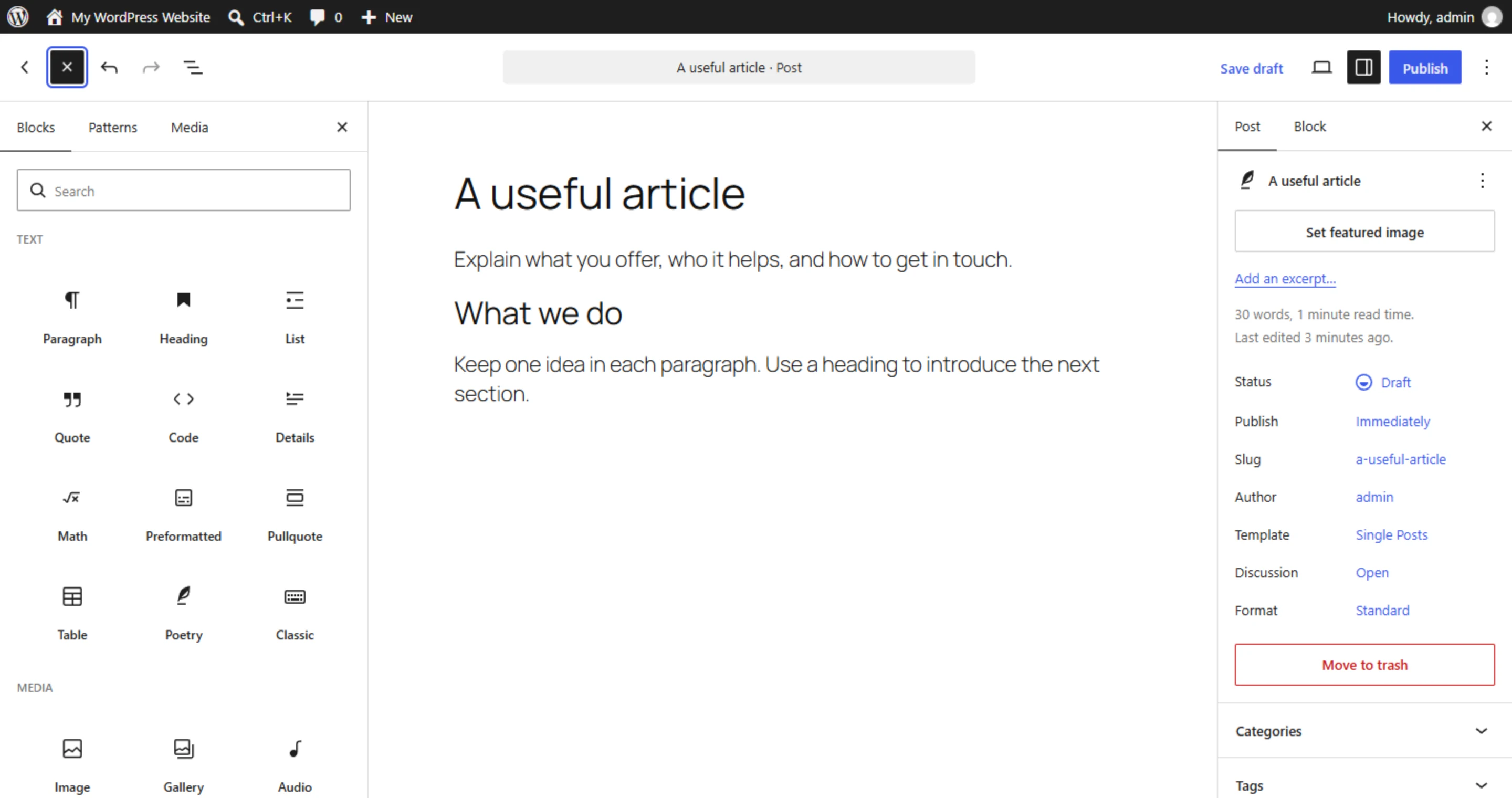
The Gutenberg editor has matured into a solid visual editing tool. Page builders like Elementor take this further. If you're considering that route, our beginner's guide to using Elementor walks through what the experience actually looks like. And the REST API means WordPress can serve as a headless backend if you outgrow the traditional setup. That's a nice safety net.
Where WordPress shines:
- Businesses with limited budgets that need a fast launch
- Content-focused sites with regular publishing schedules
- E-commerce stores that need a proven, well-supported platform
- Teams that want to manage content without touching code
Where WordPress struggles:
- Complex applications that need custom workflows
- Sites where loading speed is critical (plugin bloat is real, our Elementor vs custom code comparison digs into this tradeoff)
- Projects requiring tight security controls in regulated industries
- Multi-platform content delivery (web + mobile app + other channels)
The honest truth about WordPress maintenance: it requires ongoing attention. Plugin updates, core updates, security patches. A neglected WordPress site becomes a vulnerability. If you choose WordPress, budget for maintenance. It's not optional.
Headless CMS: The modern architecture
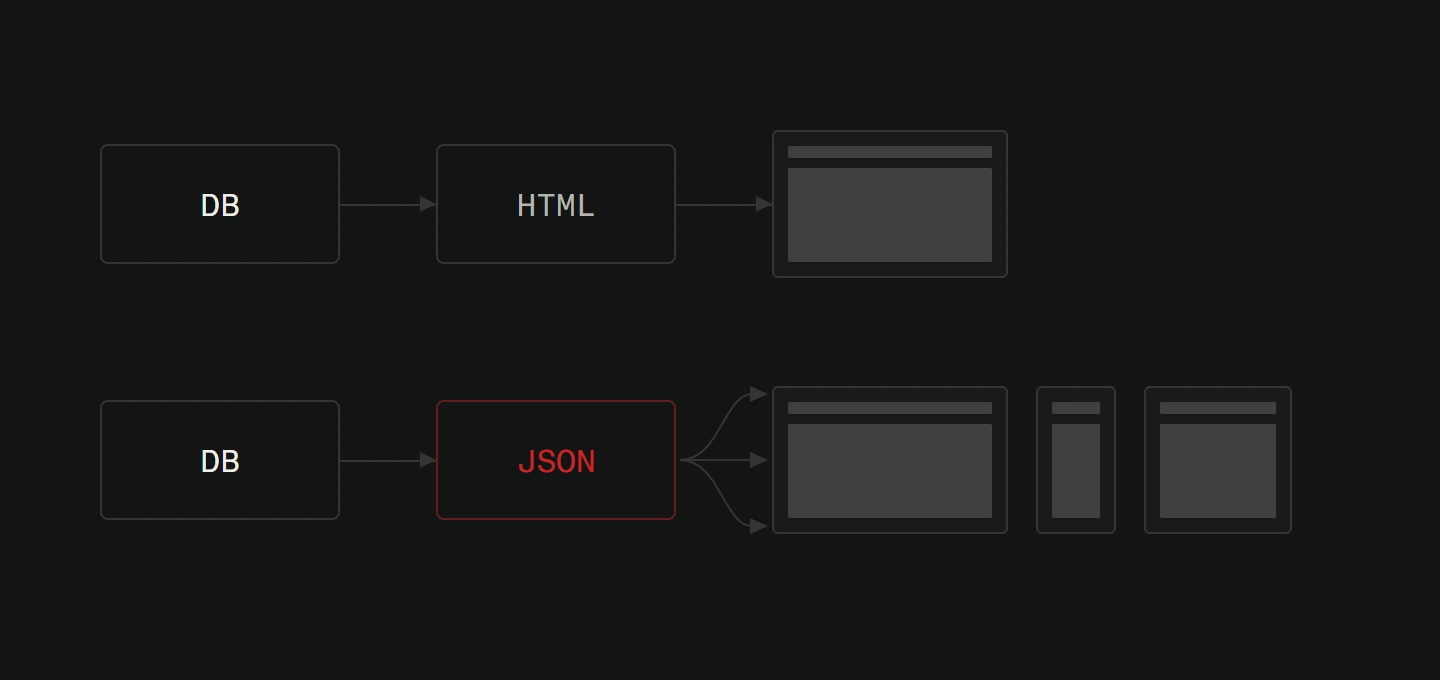
Headless systems like Strapi, Contentful, and Sanity take a different approach. They handle content management through an admin panel but deliver that content via API. Your frontend can be anything. A Next.js site, a mobile app, a digital kiosk, all pulling from the same content source.
Strapi is open-source and gives you full control. Host it yourself for free or use their cloud starting at $15/month (with a free tier for small projects). Great for teams that want flexibility without being locked into a vendor.
Contentful dominates the enterprise space. Excellent content modeling and real-time preview capabilities. Pricing starts at $300/month for the Lite plan, with enterprise tiers running $60,000+/year. The price reflects who it's built for: larger teams with serious content operations.
Sanity hits a sweet spot. Real-time collaboration, a powerful query language (GROQ), and a free tier that covers most small project needs.
Where headless shines:
- Multi-channel content delivery (same content on web, app, IoT)
- Projects using modern frontend frameworks like Next.js
- Teams that want maximum performance through static site generation
- Sites where performance directly impacts revenue
Where headless falls short:
- Small businesses without developer resources
- Simple brochure sites where this level of architecture is overkill
- Projects with tight budgets (the developer cost adds up)
- Teams that need non-technical people to manage everything independently
The learning curve is steeper. You need developers who understand API-driven architecture. Content editors need to think in structured data instead of visual layouts. For the right project, this pays off enormously. For the wrong project, it's expensive complexity.
Custom CMS: The precision tool
Sometimes off-the-shelf doesn't cut it. Your business has unique workflows. Your industry has specific compliance requirements. Your content model doesn't fit into any template.
That's where custom CMS development makes sense.
A custom system is built around your specific processes. Every feature exists because your business needs it. Nothing extra. Nothing forced to fit. The admin panel matches how your team actually works instead of forcing your team to work like the software expects.
Where custom wins decisively:
- Businesses with unique workflow requirements that can't be shoehorned into standard tools
- Industries with strict security or compliance needs (healthcare, finance, government)
- Companies where the website is a core product, not just a marketing channel
- Projects where performance, scalability, and control can't be compromised
The trade-offs:
- Higher initial investment (starting around $20,000 for basic systems)
- Longer development timeline (2-3 months minimum)
- Requires an ongoing relationship with a development team
- No plugin marketplace to grab quick features from
Custom development is not for every business. But for the businesses that need it, nothing else comes close. You get exactly what your business requires. Full ownership. Complete control over security and performance. And a system that grows precisely the way your business needs it to.
Making the decision: A practical framework
Forget feature comparison charts. The right CMS depends on your specific situation. Ask these questions.
What does your team look like? If you have no developers and no budget for them, WordPress is your realistic starting point. If you have (or can hire) technical talent, headless and custom options open up.
How does content flow in your business? If one person writes blog posts weekly, WordPress handles that effortlessly. If multiple teams create content for different channels with approval workflows, you need something more structured.
What are your growth plans? If your business is stable and your site needs are predictable, pick the simplest tool that works. If you're planning significant growth, investing in a flexible architecture now saves expensive migrations later.
Where does your website sit in your business model? If it's a marketing brochure, don't over-engineer it. If it's your primary revenue channel, invest accordingly. The more your revenue depends on your site, the more control you need over it.
What's your real budget? Not just for building. For maintaining, updating, and improving over the next 3-5 years. WordPress is cheapest to launch but ongoing maintenance adds up. Headless needs developer hours for every change. Custom requires a partnership with a development team. Understanding the full cost helps you avoid surprises.
The trend worth watching: Composable architecture
The CMS industry is moving toward composable approaches. Instead of one system doing everything, businesses combine specialized tools. A headless CMS for content. A dedicated e-commerce engine for the store. A custom-built tool for industry-specific features.
This approach lets you pick the best tool for each job instead of compromising with one that's mediocre at everything. It requires more technical sophistication to set up. But the result is a system that's exactly right for your business instead of approximately right. When a business has a specific scheduling or booking workflow, for example, no off-the-shelf CMS plugin can handle it properly, and a purpose-built solution becomes the only path that makes sense.
For the Croatian market specifically, where mobile traffic dominates and users expect fast-loading pages, the architecture you choose has real impact on your Core Web Vitals (the loading and stability scores Google factors into rankings) and on how customers perceive your business.
Not sure which CMS fits your business? We've helped companies across industries make this decision. If you already have a site, a free website analysis is a good first step: a developer goes through it by hand and sends back what to fix first, ranked by impact, within 48 hours.