"How much does a website cost?" is the most common question we get. And the honest answer is: it depends. Not because we're dodging the question. Because websites aren't commodities with fixed prices. They're custom-built tools, and the cost reflects what they need to do.
Asking "how much does a website cost?" is like asking "how much does a building cost?" A garden shed and a skyscraper are both buildings. The answer depends entirely on what you're building.
But that doesn't mean pricing has to be mysterious. You just need to understand what factors drive the cost. Once you know those, you can scope your project intelligently and get accurate estimates.
Number of pages
This is the most obvious factor. A 5-page brochure site costs less than a 50-page content hub. Every page needs design, development, and content.
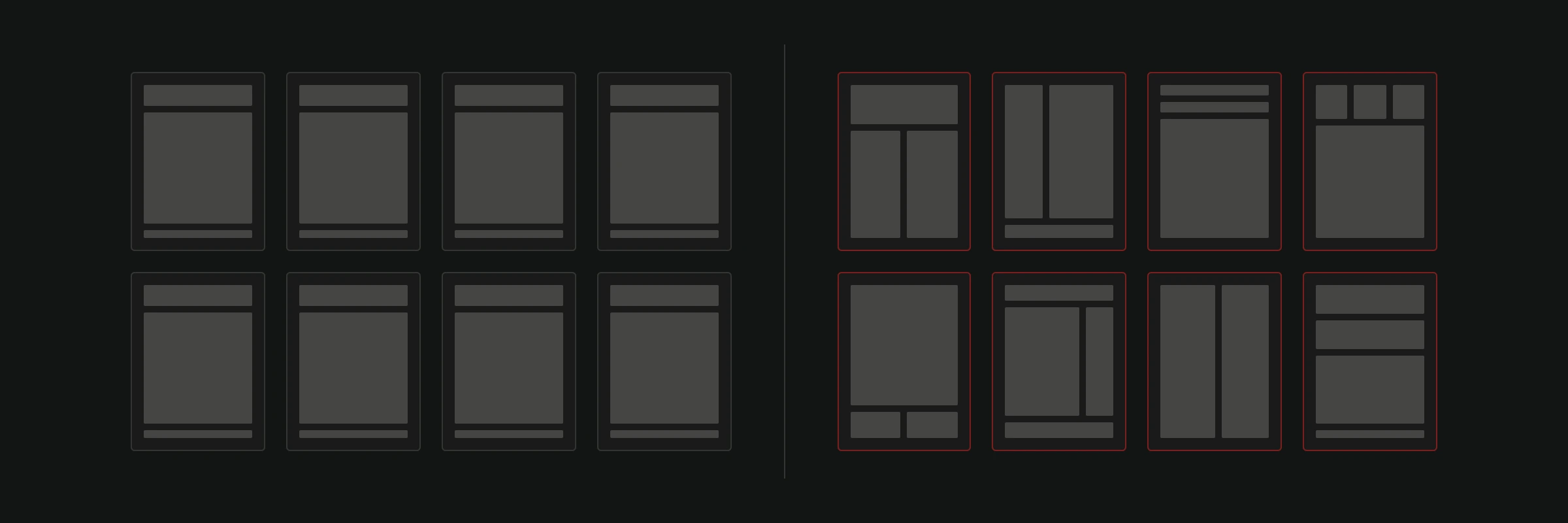
But not all pages are created equal. A simple text page with a heading and a few paragraphs takes an hour. A custom landing page with animations, interactive elements, and complex layouts takes a day or more.
When scoping your project, list every page you need. Then categorize them:
- Simple pages. Text-heavy, standard layout. About, contact, basic service descriptions.
- Medium pages. Custom layouts, multiple sections, image galleries, forms.
- Complex pages. Interactive features, animations, custom functionality, data visualization.
This categorization gives you (and your developer) a much more accurate picture than a raw page count.
Design complexity
There's a spectrum between "clean and functional" and "award-winning visual experience." Both are valid. They just cost different amounts.
A site using a well-structured design system with consistent components is faster to build. Each new page reuses existing patterns. This keeps costs down without sacrificing quality.
A site where every page is a unique visual experience takes more design time, more development time, and more testing. It can be stunning. But that beauty has a price tag.
Think about what your business actually needs. A law firm doesn't need parallax scrolling and animated transitions. A creative studio might. Match the design investment to your brand requirements, not your ego.
Custom functionality
This is where costs can escalate fast.
A contact form is simple. A multi-step booking system with calendar integration is not. A blog with basic posts is straightforward. A product configurator that calculates custom quotes is complex.
Common features and their relative complexity:
- Basic: Contact forms, image galleries, blog, Google Maps embed.
- Medium: Newsletter integration, search functionality, multi-language support, client portals.
- Complex: E-commerce with payment processing, booking systems, API integrations, user accounts, custom calculators, real-time data feeds.
Be specific about what you need. "We need an e-commerce site" could mean anything from a 20-product WooCommerce shop to a full marketplace. The more precise your requirements, the more accurate the estimate.
For more on e-commerce costs specifically, read our guide to website and webshop pricing.
Content: The hidden cost
Most people forget about content when budgeting for a website. Then they're surprised when it becomes the biggest bottleneck.
If you can provide all the content (text, images, videos) yourself, that's one less cost. But "provide all the content" means polished, final-form copy and professional-quality images. Not rough notes and iPhone photos (usually).
If you need copywriting, photography, or video production, factor those in. Professional product photography alone can cost as much as a basic website. Good copy takes time to research and write.
Content also affects the development timeline. Developers can't build pages without knowing what goes on them. Late content means late launches.
Responsive design and browser testing
Every modern website needs to work on desktop, tablet, and phone. This isn't an add-on. It's a fundamental requirement. Responsive design affects every design and development decision.
Testing across devices and browsers takes time. A page that looks perfect in Chrome on a MacBook might break in Safari on an iPhone 12. Cross-browser testing is boring, necessary, and costs real hours.
SEO foundation
A beautiful website that nobody can find is a billboard in the desert.
Basic SEO setup (proper heading structure, meta tags, sitemap, clean URLs, fast load times) should be standard in every project. More advanced SEO work (keyword research, content strategy, technical audits, link building) is ongoing and usually scoped separately.
Make sure the basics are included. They're the foundation that everything else builds on. Our SEO services can take things further once the site is live.
Integrations and third-party tools
Does your website need to talk to other systems? Each integration adds development time.
Common integrations include:
- CRM systems (HubSpot, Salesforce, Pipedrive)
- Email marketing (Mailchimp, ActiveCampaign)
- Payment processing (Stripe, PayPal)
- Booking systems (Calendly, custom builds)
- Analytics (Google Analytics, Hotjar)
- Social media feeds
- Inventory management
Some integrations are plug-and-play. Drop in an embed code and you're done. Others require custom API work that takes days or weeks. Knowing which integrations you need upfront prevents budget surprises later.
Choosing the right CMS also matters here. Some platforms play nicely with certain integrations. Others require workarounds.
Ongoing costs after launch
Your website doesn't stop costing money when it goes live. Plan for:
- Hosting. Monthly or annual. Ranges from 5 EUR to 500+ EUR depending on traffic and requirements.
- Domain renewal. Annual. Usually 10-20 EUR.
- SSL certificate. Often free with hosting, sometimes a separate cost.
- Maintenance and updates. Security patches, plugin updates, content changes. Budget monthly hours or a retainer.
- Content creation. Blog posts, product updates, seasonal changes.
Ignoring maintenance is how you end up with a site that's vulnerable to security threats and running on outdated software two years from now.
How to scope your project
Here's a practical framework for defining your website project:
Step 1: Define the goal. What is this website supposed to achieve? Lead generation? Sales? Brand awareness? Information?
Step 2: List the pages. Every page. Categorize by complexity.
Step 3: Define functionality. What does the site need to do beyond displaying content?
Step 4: Inventory your content. What do you have? What needs to be created?
Step 5: Identify integrations. What systems does the site need to connect to?
Step 6: Set a realistic timeline. Rush jobs cost more. Plan ahead when possible.
With these answers, any competent web development company can give you an accurate estimate. Without them, you'll get guesses.
Skip the guesswork
We built a pricing tool that walks you through these exact factors and gives you a ballpark estimate based on your specific needs. It takes about 2 minutes. No sales calls. No pressure. Just a realistic range based on what you actually need.
If you already have a website, our free website analysis shows what it needs before you decide how much to rebuild: a developer goes through it by hand and sends back what to fix first, ranked by impact, within 48 hours.
The right website investment is the one that matches your business goals, not the cheapest option or the most expensive one. Start by understanding what you need, then get an estimate that reflects reality.