Most "best free fonts" articles throw thirty options at you without a word on how they actually behave on a real website. That isn't useful. You don't just need a font that looks good in a design tool, but one that loads fast, renders crisply on every device and has every letter of the language you write in.
Here are six fonts worth your time, plus two new ones that arrived on Google Fonts at the end of 2025. Every one is free, and we checked in the font files themselves that each covers Western European letters as well as Central European ones such as č, š and ž. We measured how much each weighs on Google Fonts on 25 October 2026.
Why font choice matters more than you think
Before the list, a few words on why this decision matters more on the web than elsewhere.
A font on a poster only has to look good. A font on a website has to look good, load quickly, render crisply at small sizes, work on every operating system and have every character you need. That's a completely different set of requirements.
Every custom font you add is another file the browser has to download. On a slow mobile connection, that's the difference between a page that feels fast and one that shows blank text for two seconds.
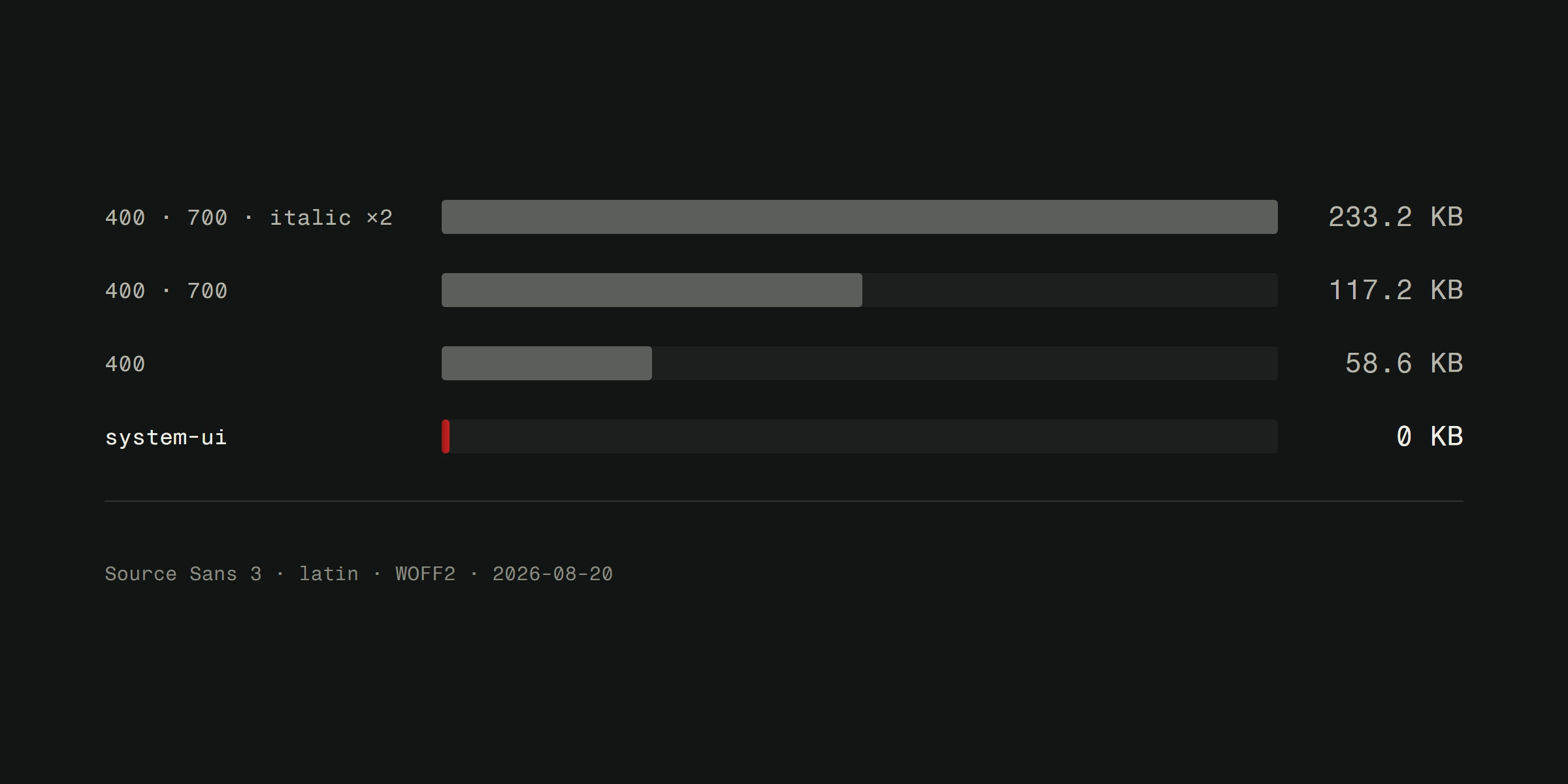
There's one more detail. Google Fonts splits the Latin script into two subsets: basic (latin), which covers English, German umlauts and ß and most Western European accents, and extended (latin-ext), which holds letters such as č, ł or ő. A page in English or German usually downloads only the first; a page in Croatian, Polish or Czech downloads both. The table below gives both numbers.
Choosing fonts with performance in mind is part of good web design. For a broader look at how typography affects visitors, read our guide on choosing the right font.
Gelasio
Perfect for: Body text when you want character without losing readability.
Gelasio is a serif that works surprisingly well on screen. According to its Google Fonts description, its metrics match Georgia in the regular, bold and italic styles, so you can use Georgia as a fallback without the text shifting while Gelasio loads.
The letterforms are warm and readable at paragraph size. It isn't spectacular, and that's the point. For long text like blog posts and service descriptions, you want a font that disappears while you read.
Performance note: The variable file covering 400 to 700 weighs 35 KB for basic Latin and another 41 KB for extended. Load only what you need: regular and bold cover most text.
Space Grotesk
Perfect for: Technology brands and software product sites.
Space Grotesk is a proportional sans-serif with a geometric build and a few quirky details. Open shapes and gently rounded curves give it a technical feel without coming across as cold.
It works beautifully for headings and interface elements. Pair it with a neutral body font such as DM Sans and you get a type system that feels modern and deliberate.
Performance note: The variable version covers weights 300 to 700 and weighs only 22 KB for basic Latin and 19 KB for extended. Use it and let CSS pick the weight.
DM Sans
Perfect for: Clean interfaces, dashboards and sites that need to feel professional without being dull.
DM Sans is one of those fonts that simply works everywhere. It's geometrically precise, very readable at small sizes and neutral enough to pair with almost anything.
If you're building a business site and don't want to overthink typography, DM Sans is a safe choice. It handles body text, navigation, buttons and headings equally well. It's the kind of font nobody will complain about, and that's actually a compliment.
Performance note: The variable file covers the full range from 100 to 1000 and has an optical size axis, and it weighs 37 KB for basic Latin and 18 KB for extended. Two weights plus italic cover most projects.
Playfair Display
Perfect for: Headings on hotel, restaurant and lifestyle sites.
Playfair Display is a high-contrast serif with dramatic transitions between thick and thin strokes. In large headings it looks refined: hotels, restaurants, fashion brands, wine shops, anywhere the mood is "luxurious but approachable".
A warning: don't use it for body text. The high contrast that makes it striking at 48 pixels makes it hard work at 16. Pair it with a clean sans-serif for body text. The contrast between the two creates a hierarchy that guides the eye where you want it.
Performance note: The variable version from 400 to 900 weighs 38 KB for basic Latin and 21 KB for extended. Stick to one or two weights and use font-display: swap so text isn't invisible while the font loads.
Aspekta
Perfect for: Visual identities and modern business sites.
Aspekta is a contemporary sans-serif that feels both friendly and serious. It was developed in Croatia by Ivo Dolenc, is released under the OFL 1.1 licence and comes in twenty weights, from 50 to 1000, with fourteen stylistic sets of alternative letterforms.
What sets it apart is precision. Every letterform feels considered, so logo text looks designed rather than just typed. If you're building a visual identity alongside your website, Aspekta gives you consistency across both.
Performance note: Aspekta isn't on Google Fonts, so you serve it yourself. The package already includes WOFF2 files and a variable version. Subset it to the characters you need and preload the file in your page head.
Instrument Serif
Perfect for: Editorial content, magazines and portfolios.
Instrument Serif is elegant without being stiff. Its letterforms have an almost calligraphic warmth that brings editorial layouts to life. It works for headings and pull quotes on content-rich pages.
It pairs naturally with Instrument Sans from the same family for a coherent type system. Or combine it with a geometric sans-serif for more contrast. Both approaches work.
Performance note: Instrument Serif has only a regular and an italic style, with no variable version. The regular style weighs 21 KB for basic Latin and 12 KB for extended, which makes it the lightest on this list.
New on Google Fonts: Google Sans and Google Sans Flex
The biggest news among free fonts in the past year is that Google opened up its brand typeface. Google Sans, the font you see across Google's products, has been on Google Fonts under the SIL Open Font License 1.1 since 9 December 2025, and its variable sibling Google Sans Flex since 12 November 2025.
Google Sans is a variable font with weights from 400 to 700, an optical size axis and a grade axis, which lets you make text slightly bolder without changing its width or line breaks. The italics are a separate file. It weighs 36 KB for basic Latin and 22 KB for extended.
Google Sans Flex goes further: besides weight from 1 to 1000 it has axes for width, optical size, slant and roundness, so one file gives you dozens of styles. With only the weight axis it weighs 51 KB for basic Latin and 26 KB for extended.
One caution: both are very recognisable because people look at them every day in Google's apps. For interfaces and tools that's an advantage; for a brand that wants to stand apart, it may not be.
How to choose between them
Here's a quick decision framework.
Building a blog or content site? Gelasio for body text, Space Grotesk or DM Sans for headings.
Building a software or tech product? DM Sans or Google Sans everywhere, or Space Grotesk for headings with DM Sans for body text.
Building a luxury or lifestyle brand? Playfair Display for headings, DM Sans or Gelasio for body text.
Building a business site with a strong visual identity? Aspekta throughout. It has enough weights for every element.
Building an editorial or portfolio site? Instrument Serif for headings, with a neutral sans-serif.
| Font | Weights | Basic Latin | Extended Latin |
|---|---|---|---|
| Gelasio | 400 to 700 | 35 KB | 41 KB |
| Space Grotesk | 300 to 700 | 22 KB | 19 KB |
| DM Sans | 100 to 1000 | 37 KB | 18 KB |
| Playfair Display | 400 to 900 | 38 KB | 21 KB |
| Instrument Serif | 400 only | 21 KB | 12 KB |
| Google Sans | 400 to 700 | 36 KB | 22 KB |
| Google Sans Flex | 1 to 1000 | 51 KB | 26 KB |
Measured on Google Fonts on 25 October 2026: one variable upright file in WOFF2 format (Instrument Serif has no variable version, so the regular style is listed). Italics are separate files.
Remember that the best typography isn't a perfect font, but a system where fonts, sizes, weights and spacing work together. Colour does a lot of that work too, so also read how colours affect user experience.
Performance checklist
Before you put any font on your site, go through this.
- Serve fonts from your own domain. Embedding them from Google's servers sends every visitor's IP address to Google, and a German court awarded damages for it in 2022; the details are in our guide on choosing a font. Don't count on visitors already having the font in their browser either: Chrome since version 86 and Safari store downloaded files separately for each site, so a font downloaded on someone else's site doesn't speed up yours.
- Use the WOFF2 format. It compresses best and every current browser supports it.
- Subset fonts to the characters you need. An English page needs basic Latin, not Cyrillic or Vietnamese.
- Use
font-display: swapso text isn't invisible while the font loads, and thesize-adjustdescriptor to match your fallback font so the text doesn't shift. - Limit weights. Every extra weight is another file.
- Consider variable fonts. One file, every weight, usually lighter than three separate ones.
- Preload your main font. A preload link in the page head tells the browser to fetch it early.
Good typography is invisible. Bad typography is all anyone sees. Pick a font that serves your content, optimize it for the web and move on to the next thing.
Need help choosing and implementing typography for your website? Check out our web design services or read more about choosing the right font for your project.