A 2006 study by Gitte Lindgaard and colleagues found that people form an impression of a web page's visual appeal in about 50 milliseconds. Typography carries much of that impression, and of everything that follows, because text is what a visitor actually reads.
The wrong font makes a serious business look amateur. A good font makes a small business look sure of itself. Choosing a font isn't cosmetic. It affects readability, how people see your brand, and even how fast your site loads and how accessible it is.
Understanding the main font categories
Before you start browsing Google Fonts, you need to know what you're looking at. Every font belongs to one of a few categories, and each says something different.
Serif fonts
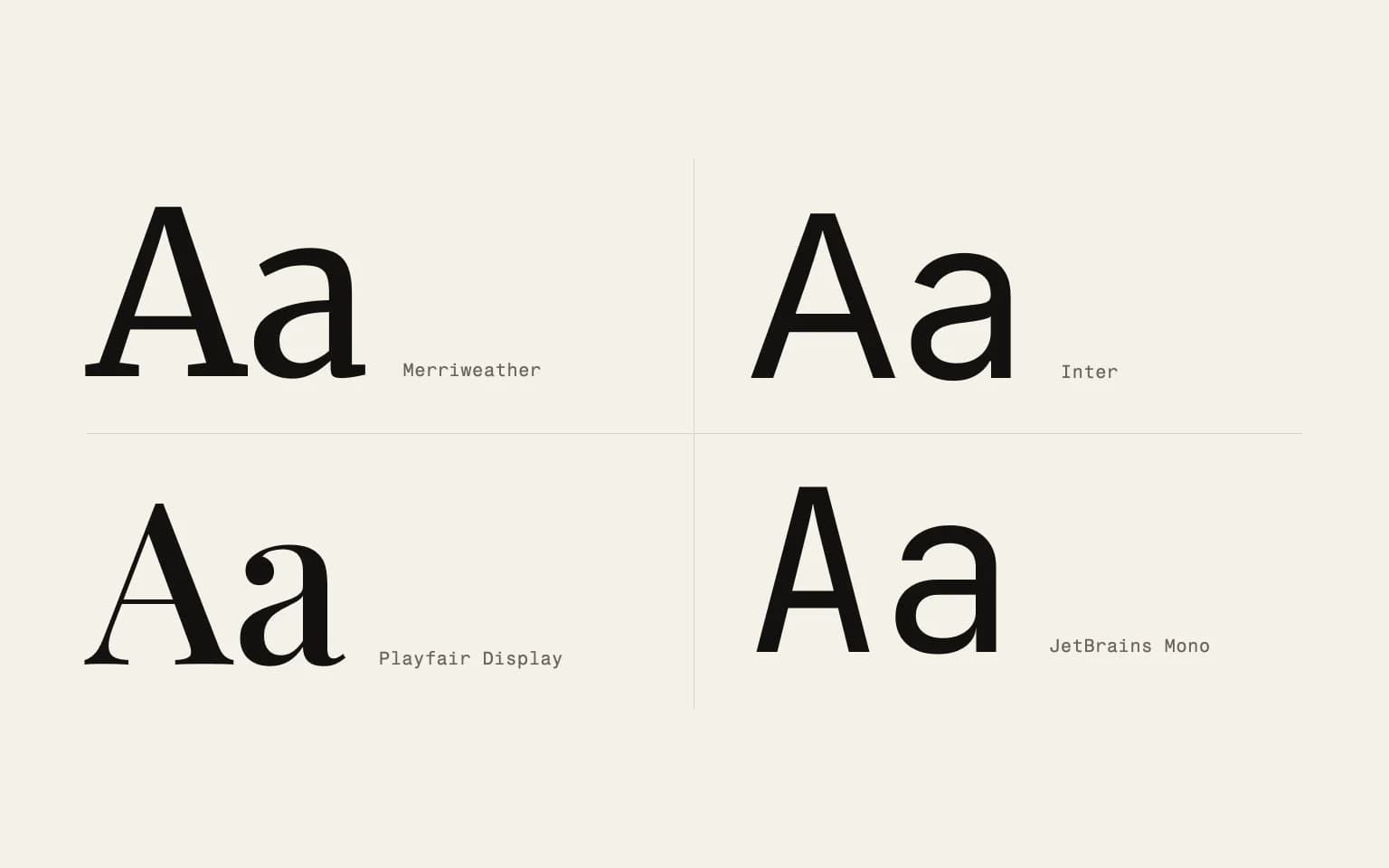
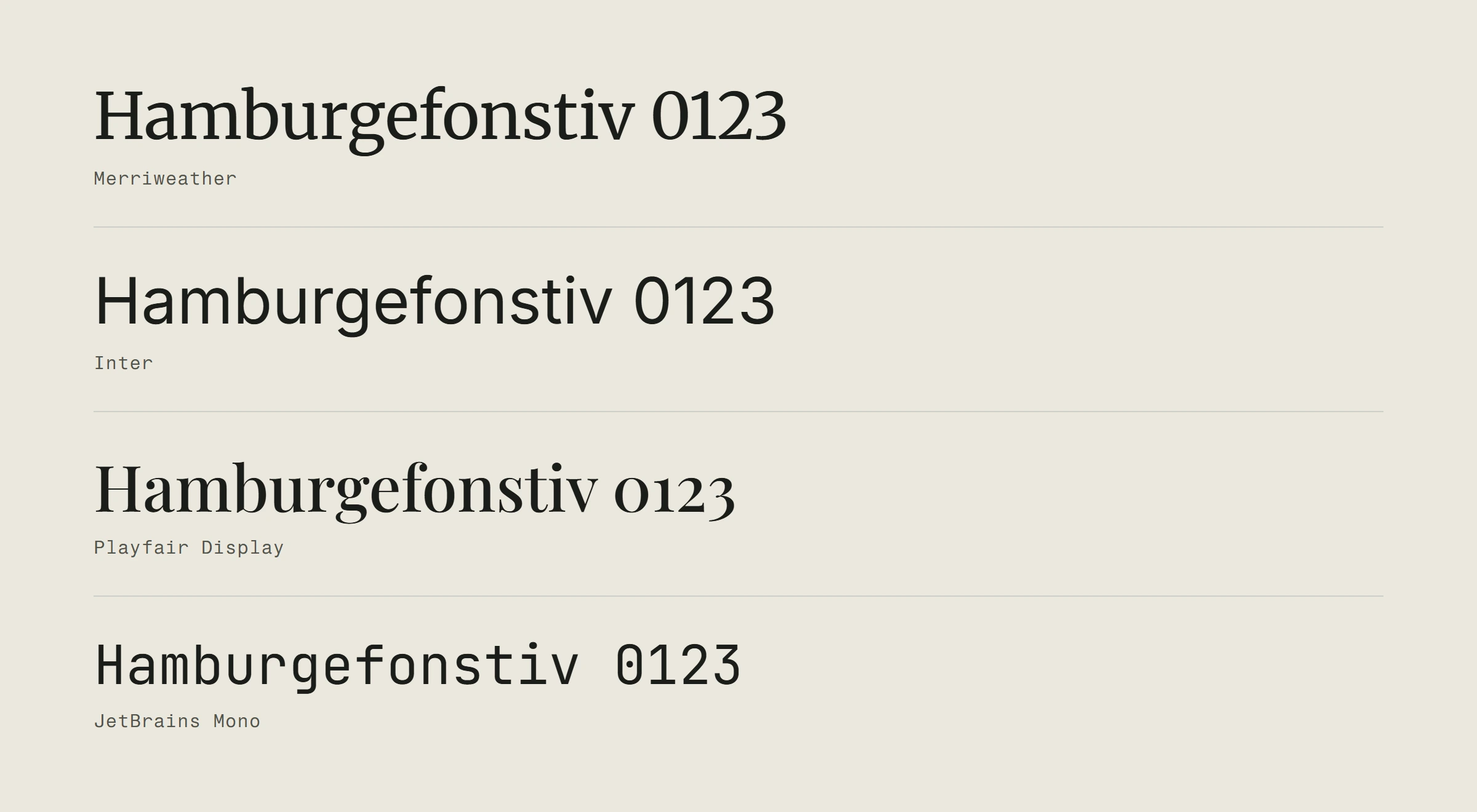
These have small strokes (serifs) at the ends of the letters, like Georgia, Merriweather or Playfair Display. They feel traditional, established and trustworthy. They work well for long text and for brands that want to project authority.
On the web, serifs used to be harder to read on low-resolution screens. On today's sharp screens that's largely gone, but still test them at smaller sizes.
Sans-serif fonts
No strokes at the ends. Clean, modern, simple, like Inter, Open Sans or Roboto. This is the default for most websites, for good reason: sans-serif fonts read well on screens of every size and resolution.
If you don't know where to start, a well-chosen sans-serif is a safe choice for body text.
Display and decorative fonts
Fonts with character: bold, expressive, sometimes unusual. They're great for headlines, hero sections and short text that needs to grab attention. They're poor for body text, because nobody wants to read a whole paragraph in a decorative font.
Use them rarely and on purpose. One display font for headings and a clean font for body text is a proven pairing.
Monospace fonts
Every character takes the same width. Traditionally used for code, and some brands use them for a technical or editorial feel: Fira Code, JetBrains Mono, IBM Plex Mono. They give a site a recognisable character, but slow reading down in long blocks of text.
What makes a font work on the web
Choosing a font for a website is different from choosing one for a printed brochure. Screens have their own rules.
Readability at every size
Body text has to be perfectly clear at 16 pixels, navigation at 14, and headings crisp at 48. Not every font handles that range equally well, so test your candidates at several sizes before you decide.
Watch the x-height, the height of the lowercase letters. Fonts with a larger x-height are usually more readable on screen. That's why fonts like Inter and Source Sans work so well on the web.
Performance matters more than you think
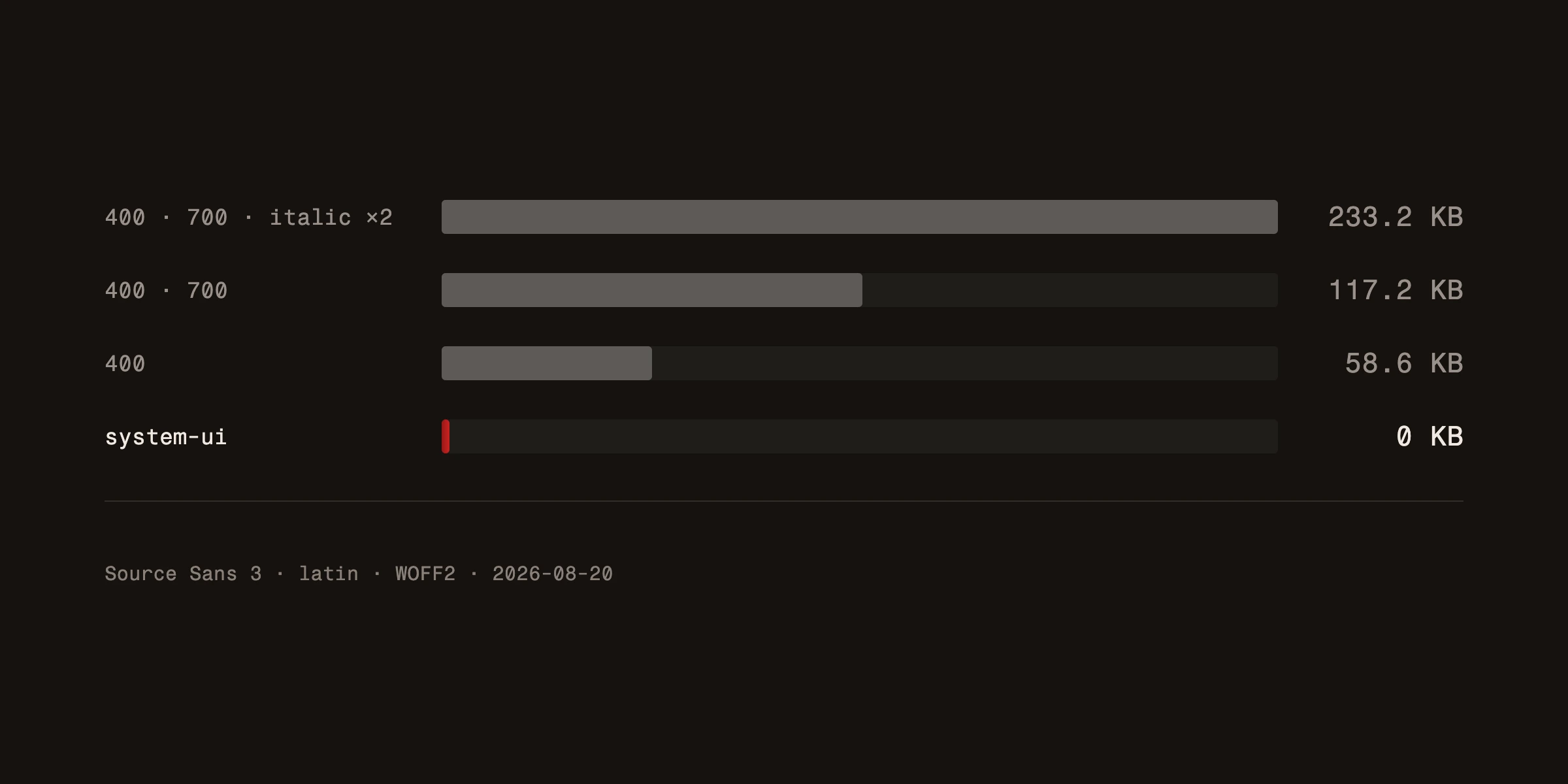
Every font you add is a file the browser has to download before it shows text the way you intended. We measured it on Source Sans 3 from Google Fonts: four cuts (regular, bold and their italics) weigh 233.2 KB, and two cuts half that.
That matters to visitors and to Google. While the font loads, a visitor on a slow connection sees blank or temporary text, and a font that arrives late can move lines around and hurt CLS, one of the metrics Google tracks. How much those metrics affect your position is explained in our article on Core Web Vitals. Here's how to keep fonts light:
Limit the cuts. Do you really need thin, regular, medium, semibold, bold and black? Most sites work perfectly with two or three.
Consider a variable font. One variable file holds a whole range of weights. When you need more than two or three cuts, it's often lighter than the separate files added together.
Use modern formats. WOFF2 is today's standard and is much smaller than TTF or OTF files. If your font provider still serves older formats, switch.
Consider system fonts. For body text, a stack like system-ui, -apple-system, sans-serif renders immediately because it uses fonts already on the device. Nothing to download. You get less control over your brand's look, but the best possible performance.
Preload key fonts. If you use your own web fonts, tell the browser to fetch them early with <link rel="preload">. The text then appears in the right font sooner.
Match your fallback font. The size-adjust descriptor in an @font-face rule is now supported by all major browsers. With it you adjust a system fallback font to the proportions of your web font, so the text doesn't shift when the real font arrives.
Serve fonts from your own domain
Google Fonts is usually embedded with a link to Google's servers, so every visitor's browser sends Google its IP address. The Munich Regional Court (LG München I, judgment of 20 January 2022, case 3 O 17493/20) awarded a visitor 100 euros in damages for exactly that, because the site loaded the fonts without the visitor's consent. The ruling is German, but it rests on the GDPR, which applies across the EU.
The fix is simple and makes the site faster too: download the font files and serve them from your own domain. Google Fonts are published under open licences that allow this, and the browser doesn't have to open a connection to yet another server.
Pairing fonts without making a mess
Most websites need two fonts: one for headings and one for body text. Maybe a third for accents or interface elements if you're building something complex. More than three is almost always too many.
The classic pairing strategy is contrast. A serif heading with a sans-serif body. A bold display font with a neutral body font. The heading grabs attention, and the body font gets out of the way and lets people read.
A few principles that work:
Contrast, not conflict. Two fonts should feel different, but not as if they came from different planets. Let them share a similar mood even when their construction differs.
One font leads the conversation. The heading font is expressive, and the body font is the workhorse. Don't let both compete for attention.
Test with real content. Don't judge a pairing on "Lorem ipsum". Put in your actual headings and paragraphs. Some combinations look great in a font picker and poor with real words, especially with the special characters of your language, so check that the font has every letter you need.
If you want concrete suggestions, our post on the new free fonts worth trying is a good starting point.
Typography and brand identity
Your fonts are a direct expression of your brand. A law firm in Comic Sans would be absurd. A toy shop in a strict serif would feel cold. The font has to match the character.
Think about how your brand sounds. Friendly and relaxed? Look at rounded sans-serifs. Refined and premium? Consider a clean serif. Technical and precise? A geometric sans-serif or a monospace might fit.
Whatever you choose, be consistent. Use the same fonts on your website, in marketing materials and in business documents. Typography is one of the most visible parts of your brand identity, and inconsistency erodes trust quickly.
Mistakes designers dread
Too many fonts. Two is ideal, three is the most, five is chaos.
Ignoring line height and spacing. Even a great font looks bad in cramped lines. Body text usually needs a line height between 1.5 and 1.7 for comfortable reading. The WCAG guidelines at their highest accessibility level ask for at least 1.5 within paragraphs.
Style over function. An ultra-thin fashion font looks beautiful in a presentation and is unreadable at body size on a real site. It's a common trap when a visual identity tries to stand out: being recognisable must never come at the cost of readability.
Forgetting accessibility. Low-contrast text is a real problem. Light grey on white may look elegant, but people with low vision can't read it. WCAG 2.2 at level AA asks for a contrast of at least 4.5:1 for normal text and 3:1 for large text. For online shops in the EU it's more than good practice: under the European Accessibility Act (Directive (EU) 2019/882), e-commerce services have had to be accessible since 28 June 2025, with only microenterprises providing services exempt.
Skipping licensing. Not every free font is free for commercial use. Check the licence before you launch.
Making the final decision
After all that analysis, here's the practical path: start with your body font. Choose something highly readable, with the cuts you need, every letter of your language and good performance. Build the rest of your typography around that foundation.
Test it live. Not in a design tool, but on a real page, on a phone, on a slow connection. That's where the truth shows.
Good typography is invisible. Readers should never think about the font, only feel that the text reads easily and comfortably. When that happens, you've chosen well. Typography is one of the modern web design principles that age well whatever the trends.
Building a website where every detail counts? See how we approach web design from typography to launch.