Most people use ChatGPT wrong. They type vague questions, get vague answers, and walk away thinking AI is overhyped. The tool isn't the problem. The approach is.
This isn't a "what is ChatGPT" article. If you need that, check out our beginner's guide to ChatGPT. This is the hands-on follow-up. Real prompts. Real workflows. Real results you can use starting today.
The prompt is everything
ChatGPT is only as good as what you ask it. A lazy prompt gets a lazy answer. A specific prompt gets something you can actually use.
Bad prompt: "Write me a blog post about web design."
Good prompt: "Write a 600-word blog post for small business owners in Croatia who need a new website. Focus on why custom design outperforms templates. Use a direct, friendly tone. Include a section on mobile performance."
See the difference? The second prompt gives context, audience, angle, tone, and structure. That's what gets you output worth keeping.
The formula: Tell ChatGPT who the audience is, what format you need, what tone to use, and what specific points to cover. The more constraints you give it, the better the output.
Writing content that doesn't sound like a robot
One of the most practical uses for business owners is content creation. But raw ChatGPT output reads like a textbook. Here's how to fix that.
Step 1: Give it your brand voice. Paste an example of your existing writing and tell it: "Match this tone and style."
Step 2: Break the task into pieces. Don't ask for a full article at once. Ask for an outline first. Review it. Then ask for each section individually.
Step 3: Edit aggressively. ChatGPT gives you a solid first draft. Your job is to cut the fluff, add your personality, and insert specific examples from your actual business.
This works for blog posts, email newsletters, product descriptions, social media captions, and service page copy. If you're running a website and struggle to keep content fresh, this workflow alone saves hours every week. For more on how AI fits into your broader marketing strategy, read how AI is changing digital marketing.
Customer support without hiring a team
Here's where ChatGPT gets seriously useful for businesses with a website. You can build an AI-powered chatbot that answers customer questions 24/7.
What this looks like in practice:
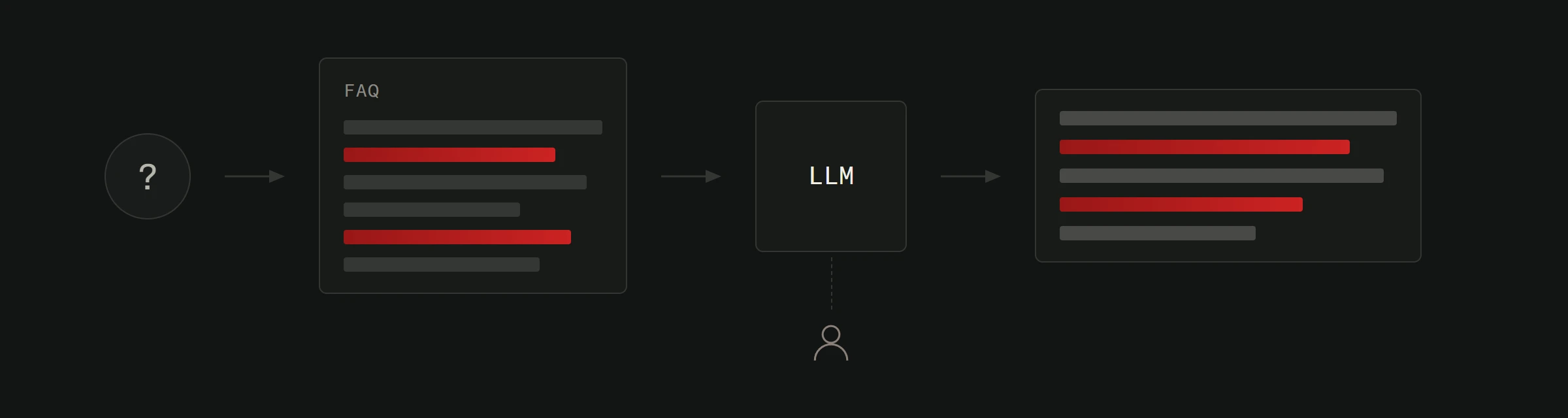
A visitor lands on your website at 11 PM. They want to know your pricing, whether you ship to their city, or how to book a consultation. Instead of a dead contact form, they get instant answers from a chatbot trained on your actual FAQ data.
How to set it up:
Write out every question your customers ask repeatedly. Feed those Q&A pairs to your chatbot system. Set fallback rules so complex questions get forwarded to a human. Test it thoroughly before going live.
The result: fewer missed leads, faster response times, and customers who feel heard even outside business hours. This is exactly the kind of AI integration that pays for itself within weeks.
Email and outreach that actually gets opened
Cold emails are painful to write. Follow-ups are worse. ChatGPT handles both if you know how to prompt it.
For cold outreach: "Write a 3-sentence email to a restaurant owner in Zadar. I'm offering website redesign services. Be direct, mention their current site looks outdated on mobile, and suggest a quick call."
For follow-ups: "Write a polite follow-up email for someone who didn't reply to my initial message about website services. Keep it under 50 words. Add one specific benefit they'd get."
For client updates: "Write a project update email. We finished the homepage design, we're starting the inner pages next week, and we need their logo files by Friday."
Each of these takes 15 seconds to generate and maybe 30 seconds to personalize. Multiply that across dozens of emails per week and you're looking at hours saved.
Data analysis without a data scientist
Got a spreadsheet of customer data, survey responses, or website analytics? Upload the file directly to ChatGPT or paste the data in and ask questions.
"What patterns do you see in these customer feedback responses?"
"Summarize the top 3 complaints from this data."
"Based on this sales data, which product category should I promote next month?"
It won't replace proper analytics tools, but it gives you quick insights that would otherwise require manually reading through hundreds of rows.
Building internal systems and processes
This is the underrated use case. ChatGPT is excellent at creating internal documentation, standard operating procedures, and templates.
Ask it to create an onboarding checklist for new employees. Have it draft a process document for how your team handles client projects. Use it to build email templates for common scenarios.
These are the boring tasks nobody wants to do. ChatGPT does them in minutes, and once you have these systems in place, your entire operation runs smoother.
Common mistakes to avoid
Trusting output blindly. ChatGPT still occasionally states things that are wrong, though newer GPT-5 models hallucinate less than earlier versions. Always verify facts, especially numbers, dates, and technical claims.
Using it for final copy. It writes first drafts. You write final drafts. Never publish raw ChatGPT output without editing.
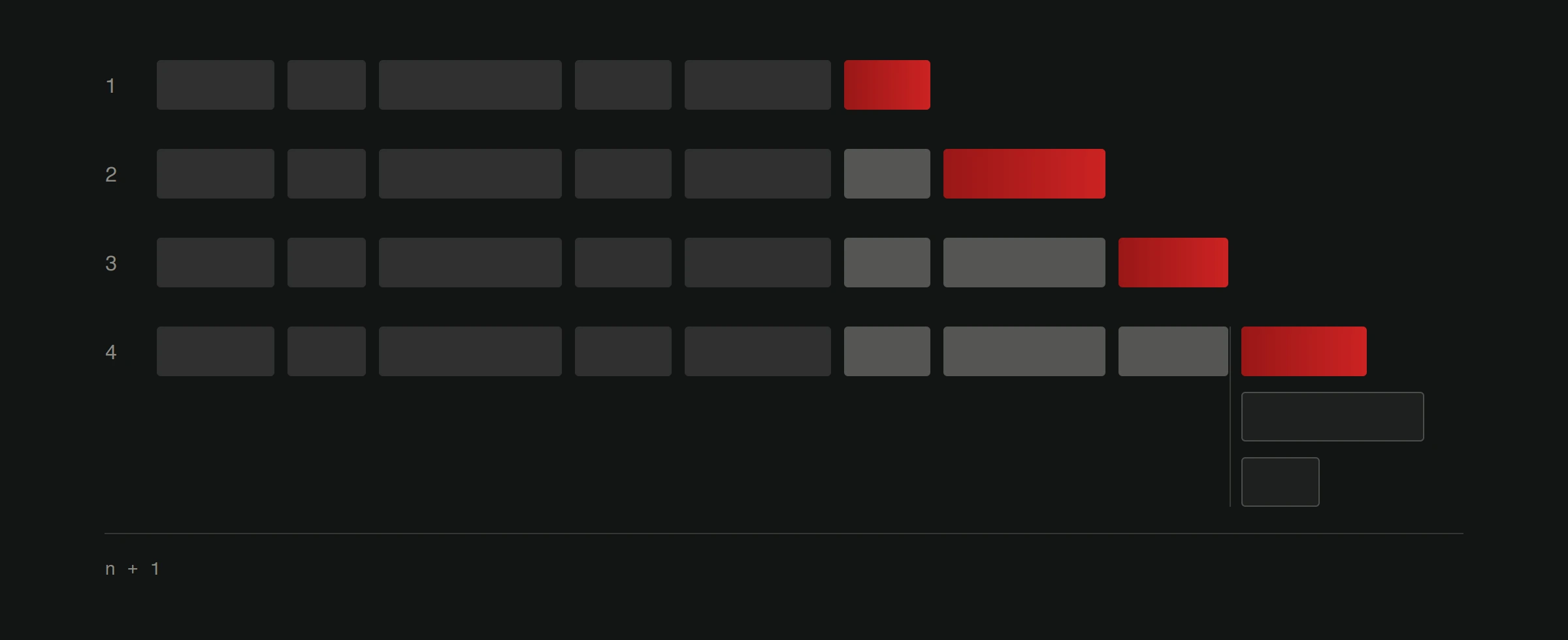
Ignoring context limits. Long conversations can still lose focus, even though newer models handle much longer context windows (up to hundreds of thousands of tokens). Start fresh conversations for new topics when the output quality drops.
Skipping the iteration. If the first response isn't great, don't give up. Say "make it more casual" or "shorten this by half" or "focus more on the benefits, less on features." Iteration is where the real value shows up.
What this means for your business
ChatGPT isn't going to replace your team. It's going to make your team faster. Content gets written in a fraction of the time. Customer questions get answered instantly. Internal processes get documented instead of living in someone's head.
The businesses pulling ahead right now aren't using fancier tools. They're using the same tools with better prompts and clearer workflows.
Start with one use case. Master it. Then expand. That's how you actually get value from AI instead of just talking about it.
Want help integrating ChatGPT into your website or business workflow? Check out our AI integration services or explore more about how AI works in digital marketing.